背景
基于netty实现的框架: Vert.x、RocketMQ、Dubbo
快速开始,创建一个springboot项目,在pom里面引入
1
2
3
4
| <dependency>
<groupId>io.netty</groupId>
<artifactId>netty-all</artifactId>
</dependency>
|
简介: netty3.30版本以后由于netty作者离开了jboss公司,groupId的引用发生了变化.netty4做了模块化设计,如果需要全部引用可直接artfactId依赖netty-all,如果只需要用到部分功能,也可以直接引用单独的包.(来源:https://blog.csdn.net/xiaopingping___/article/details/51280216)
IO框架说明
数据的传输离不开IO框架,IO框架分为BIO、NIO、AIO
BIO
Blocking InputStream OutputStream:从字面意思上理解就是阻塞性的输入输出流,就因为它是阻塞的,所以相对读写性能不高
BIO网络传输例子(以ServerSocket和Socket为例(TCP/IP方面的java网络具体类))
代码如下:
ServerSocket
1
2
3
4
5
6
7
8
9
10
11
12
13
14
15
16
17
18
19
20
21
22
23
24
25
26
27
28
29
30
31
32
33
34
35
36
37
38
39
40
41
42
43
44
45
46
47
48
49
| package pers.xiaotian.ioproject.io;
import lombok.extern.slf4j.Slf4j;
import java.io.IOException;
import java.io.InputStream;
import java.net.ServerSocket;
import java.net.Socket;
import java.util.concurrent.ExecutorService;
import java.util.concurrent.Executors;
@Slf4j
public class ServerSocketTest {
public static void main(String[] args) throws IOException {
ExecutorService executorService = Executors.newCachedThreadPool();
ServerSocket serverSocket = new ServerSocket(6666);
while(true) {
log.info("等待客户端连接,阻塞中。。。");
Socket socket = serverSocket.accept();
executorService.execute(()->{
try {
InputStream socketInputStream = socket.getInputStream();
while(true) {
byte[] bytes = new byte[1024];
int len;
log.info("等待客户端输入信息,阻塞中。。。");
if ((len = socketInputStream.read(bytes)) != -1) {
String result = new String(bytes, 0, len);
log.info("输出的结果为:result = {}", result);
}
}
} catch (IOException e) {
throw new RuntimeException(e);
}
});
}
}
}
|
Socket
1
2
3
4
5
6
7
8
9
10
11
12
13
14
15
16
17
18
19
20
21
22
23
24
25
26
27
28
29
30
31
32
| package pers.xiaotian.ioproject.io;
import lombok.extern.slf4j.Slf4j;
import java.io.IOException;
import java.io.OutputStream;
import java.net.Socket;
import java.util.Scanner;
@Slf4j
public class SocketTest {
public static void main(String[] args) throws IOException {
//创建一个Socket客户端,绑定SocketServer信息
Socket socket = new Socket("127.0.0.1", 6666);
//获取socket的输出流
OutputStream socketOutputStream = socket.getOutputStream();
//创建键盘绑定事件
Scanner scanner = new Scanner(System.in);
while (true) {
log.info("等待键盘输入。。。阻塞中");
//等待键盘输入
if (scanner.hasNext()) {
//取出键盘输入的字符串信息
String inputStr = scanner.next();
//将字符串信息写入到socket输出流中
socketOutputStream.write(inputStr.getBytes());
}
}
}
}
|
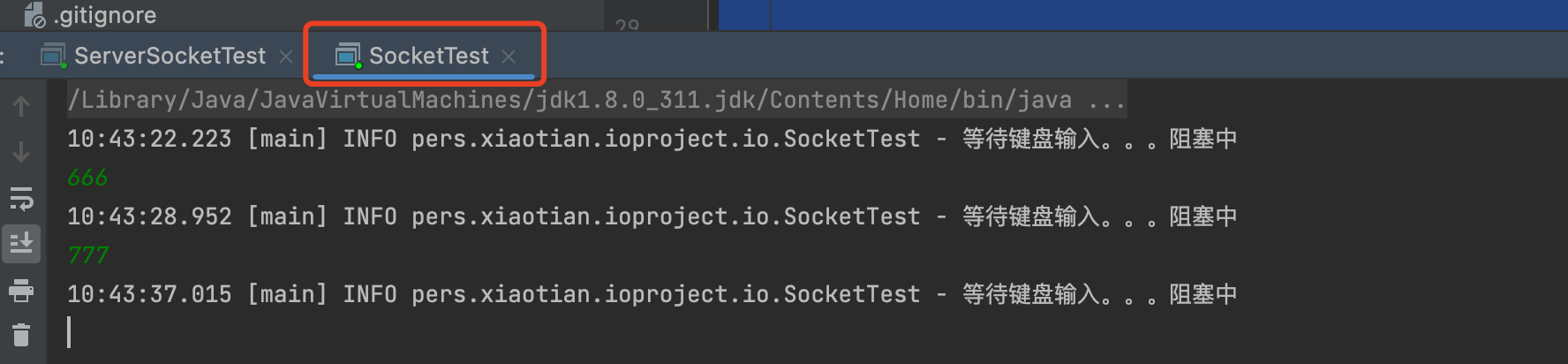
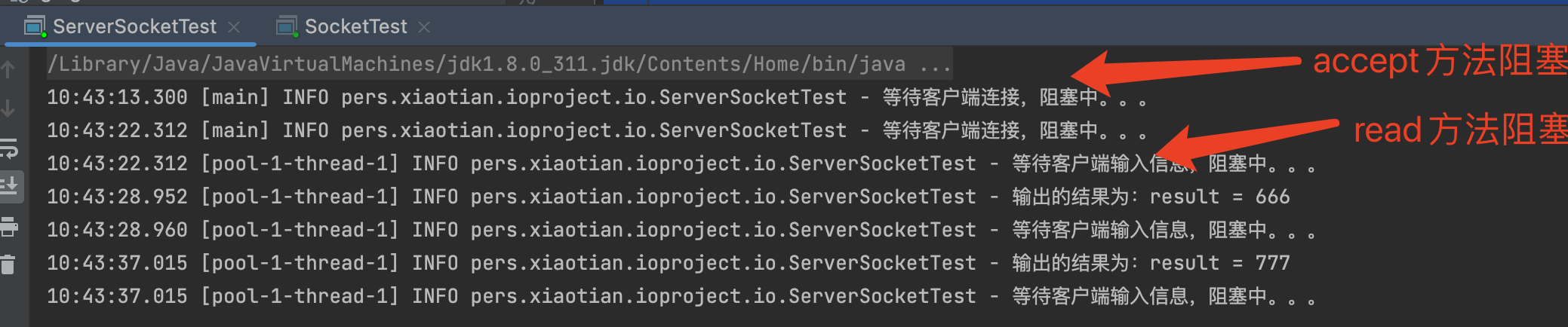
运行结果如图:
客户端键盘输入事件:
服务端响应事件:
结论:
以上面ServerSocket为例:
1.存在两处阻塞问题:一个是等待连接阻塞,另外一个socket流中等待输入的阻塞.
2.另外一个问题:服务端为了支持多个客户端连接,服务端必须启动多个线程来管理客户端的连接(1对1)
线程资源属于服务器宝贵的资源,创建线程和关闭线程都比较耗服务器方面的性能,线程处于blocked状态又比较浪费线程的资源.
结合上面几点,java方面推出了NIO的包,用来解决上面的问题
NIO
Non-Blocking InputStream OutputStream: 从字面意思上来说,就是非阻塞的输入输出流
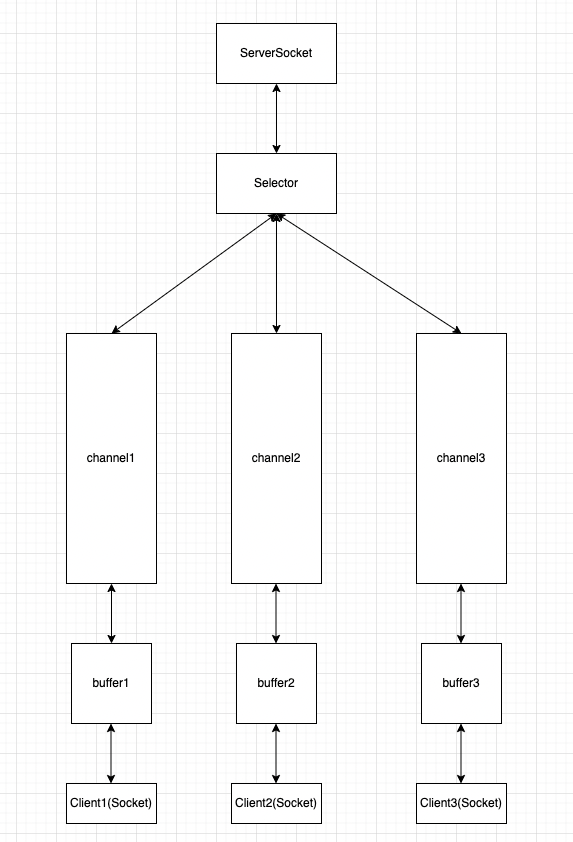
NIO的核心三大组件是:Selector、Channel、Buffer(选择器、通道、缓冲区)
关系图如下:
代码示例如下:
SeverSocketChannel代码
1
2
3
4
5
6
7
8
9
10
11
12
13
14
15
16
17
18
19
20
21
22
23
24
25
26
27
28
29
30
31
32
33
34
35
36
37
38
39
40
41
42
43
44
45
46
47
48
49
50
51
52
53
54
55
56
57
58
59
60
61
62
63
64
65
66
67
68
69
70
| package pers.xiaotian.ioproject.nio;
import lombok.extern.slf4j.Slf4j;
import java.io.IOException;
import java.net.InetSocketAddress;
import java.nio.ByteBuffer;
import java.nio.channels.*;
import java.util.Iterator;
@Slf4j
public class ServerSocketChannelTest {
public static void main(String[] args) throws IOException, InterruptedException {
ServerSocketChannel serverSocketChannel = ServerSocketChannel.open();
serverSocketChannel.configureBlocking(false);
serverSocketChannel.bind(new InetSocketAddress(6666));
Selector selector = Selector.open();
serverSocketChannel.register(selector, SelectionKey.OP_ACCEPT);
log.info("服务端启动成功。。。");
while(true){
log.info("选择器阻塞等待事件发生。。。");
selector.select();
Iterator<SelectionKey> keyIterator = selector.selectedKeys().iterator();
while (keyIterator.hasNext()){
SelectionKey selectionKey = keyIterator.next();
keyIterator.remove();
if(selectionKey.isAcceptable()){
SocketChannel socketChannel = serverSocketChannel.accept();
socketChannel.configureBlocking(false);
socketChannel.register(selector, SelectionKey.OP_READ);
log.info("客户端已经连接成功。。。");
}
if(selectionKey.isReadable()){
SocketChannel channel = (SocketChannel)selectionKey.channel();
ByteBuffer buffer = ByteBuffer.allocate(1024);
int len = channel.read(buffer);
if(len != -1) {
String result = new String(buffer.array(), 0, len);
log.info("客户端发送的消息为: msg = {}", result);
}else{
channel.close();
selectionKey.cancel();
log.info("客户端已经断开连接了。。。");
}
}
}
}
}
}
|
SocketChannel代码
1
2
3
4
5
6
7
8
9
10
11
12
13
14
15
16
17
18
19
20
21
22
23
24
25
26
27
28
29
30
31
32
33
34
35
36
37
38
39
40
41
42
43
44
45
46
47
48
49
50
51
52
53
54
55
56
57
| package pers.xiaotian.ioproject.nio;
import lombok.extern.slf4j.Slf4j;
import java.io.IOException;
import java.net.InetSocketAddress;
import java.nio.ByteBuffer;
import java.nio.channels.SelectionKey;
import java.nio.channels.Selector;
import java.nio.channels.SocketChannel;
import java.util.Scanner;
@Slf4j
public class SocketChannelTest {
public static void main(String[] args) throws IOException, InterruptedException {
SocketChannel socketChannel = SocketChannel.open();
socketChannel.configureBlocking(false);
Selector selector = Selector.open();
socketChannel.register(selector, SelectionKey.OP_CONNECT);
socketChannel.connect(new InetSocketAddress(6666));
Thread.sleep(1000);
if (socketChannel.finishConnect()) {
while(true) {
log.info("阻塞等待获取键盘输入。。。");
Scanner scanner = new Scanner(System.in);
if (scanner.hasNext()) {
String msg = scanner.next();
socketChannel.register(selector, SelectionKey.OP_READ);
socketChannel.write(ByteBuffer.wrap(msg.getBytes()));
log.info("发送完成。。。");
}
}
} else {
System.exit(1);
}
}
}
|
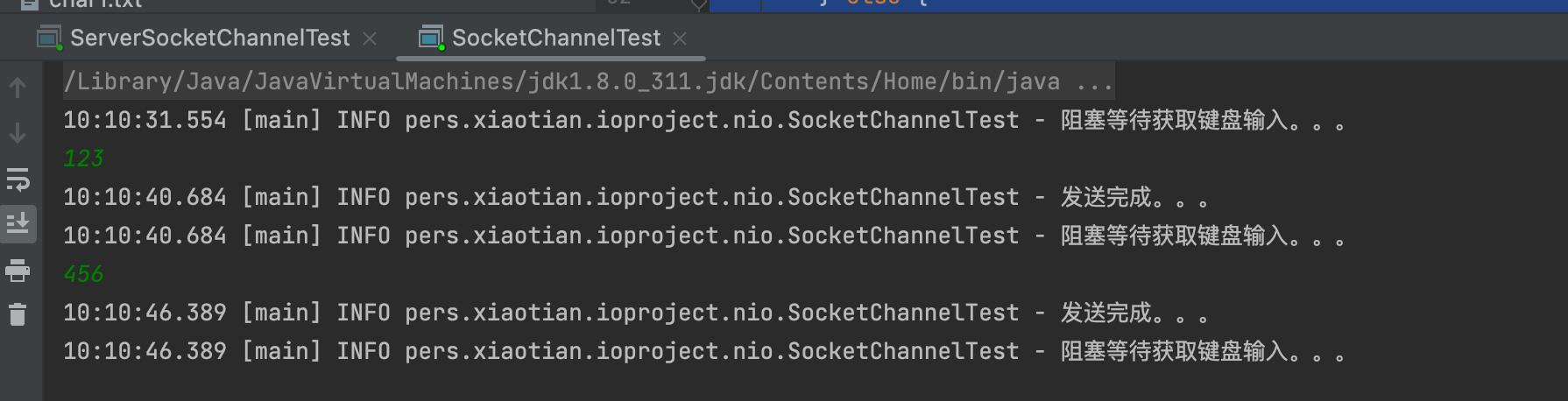
运行结果,如图:
client发送消息:
server接收消息:
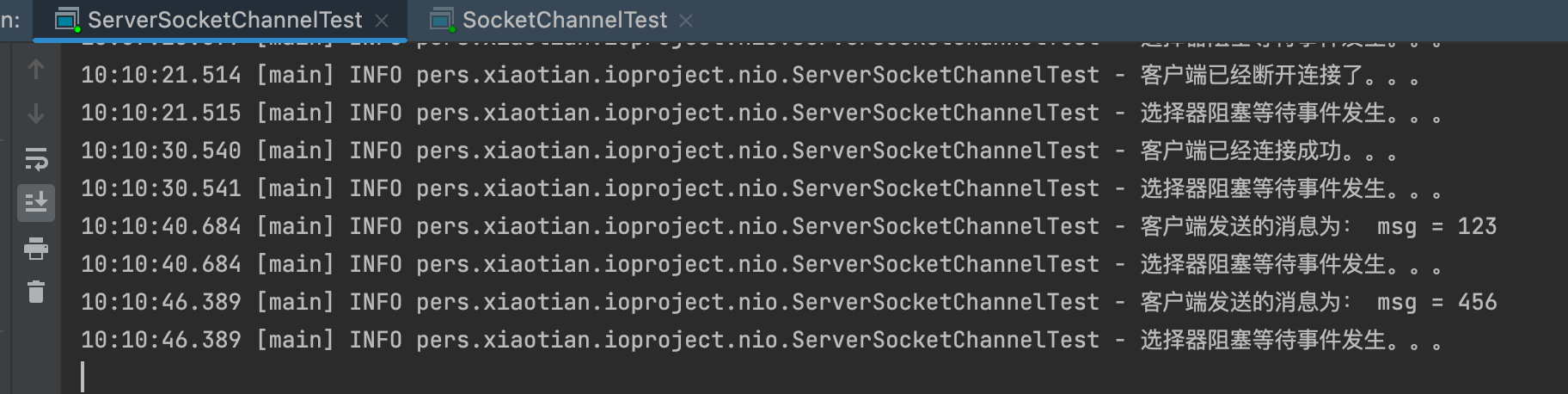
总结:
服务端通过Selector组件监听事件的方式,用同一个线程完成对不同客户端请求及不同事件类型的处理.
NIO相关组件: Selector、SelectorKey、SocketChannel、ServerSocketChannel、ByteBuffer
零拷贝
1.普通传输
数据传输会从硬盘通过DMA拷贝到内核态(kernel state),内核态数据经过CPU拷贝到用户态(user state),然后用户态的数据经过CPU拷贝到内核态,内核态的数据又经过DMA拷贝到网卡或者目标磁盘位置.这样就经过了四次拷贝以及四次状态的切换(每次CPU拷贝都会有相应的读入和写出的切换).如下图所示:
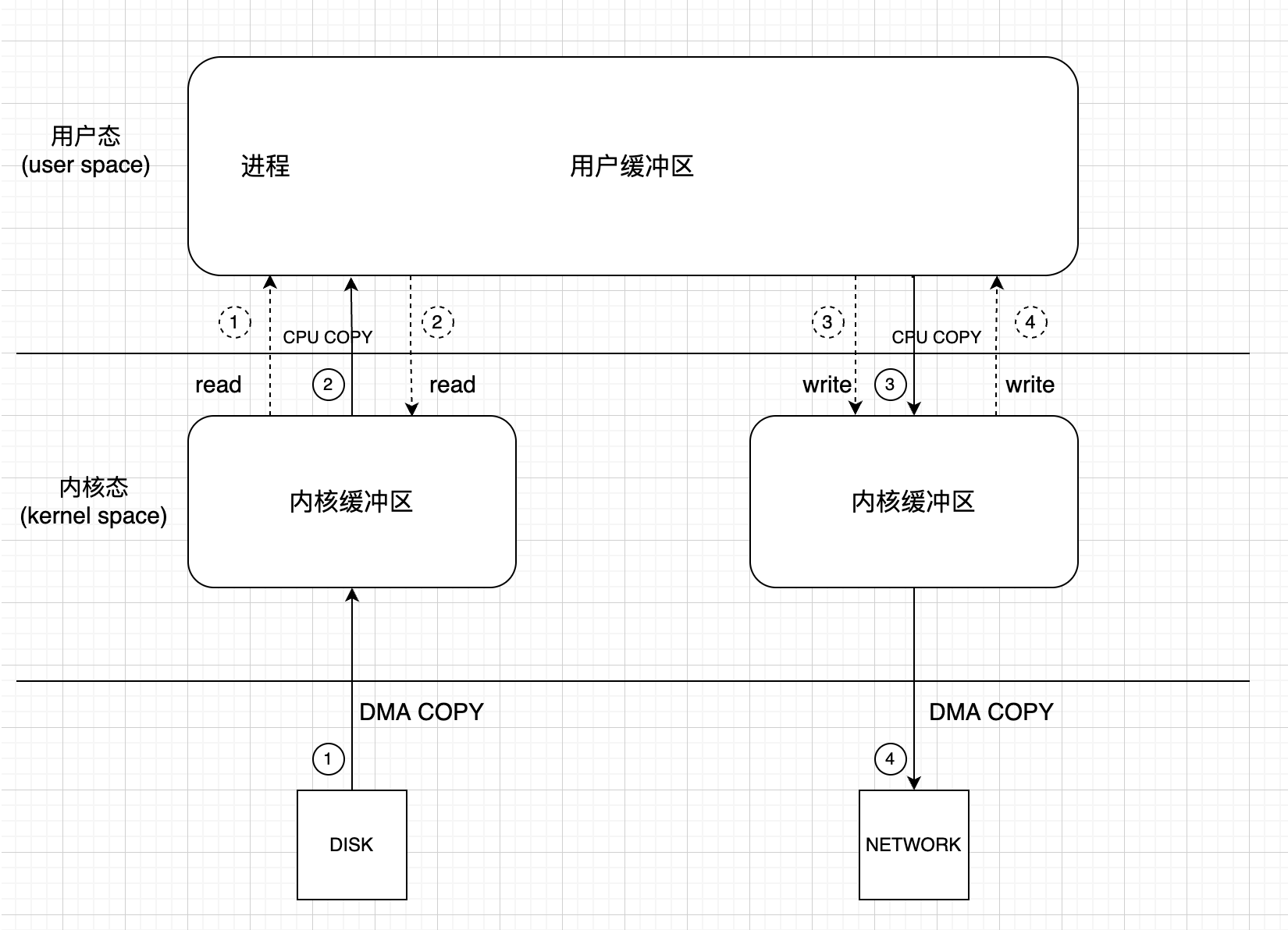
2.针对上面需要四次拷贝和四次用户态和内核态的切换,下面有两种解决方案可以进行优化:
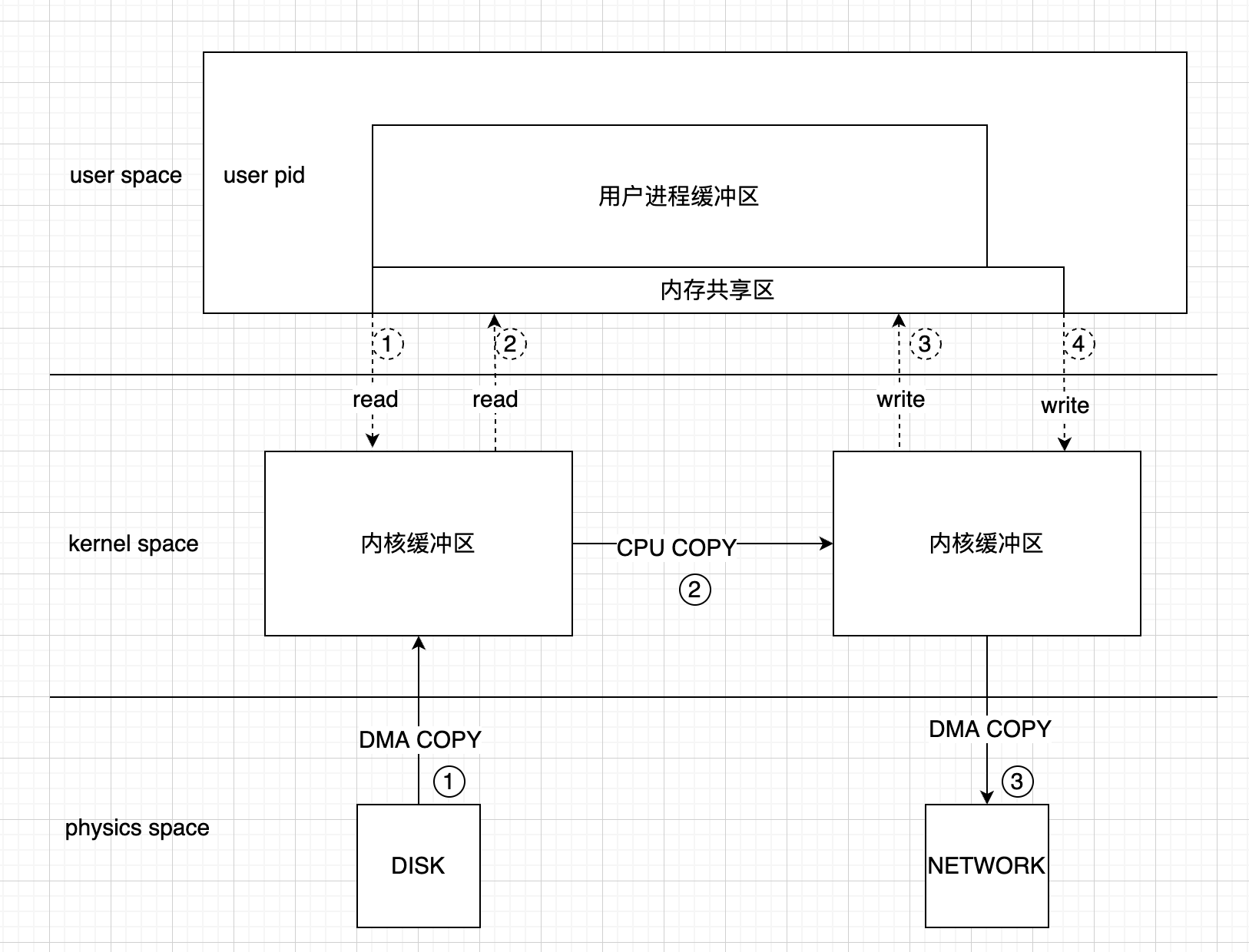
mmap(共享内存技术)
通过用户缓冲区共享的方式,减少了一次CPU COPY的过程,CPU COPY可以直接从源内核缓冲区拷贝到目标内核缓冲区,具体流程见下图:
四次状态切换
三次拷贝
sendfile(零拷贝技术)
linux 2.1时,通过sendfile技术减少了两次用户态与内核态之间的切换.如图:
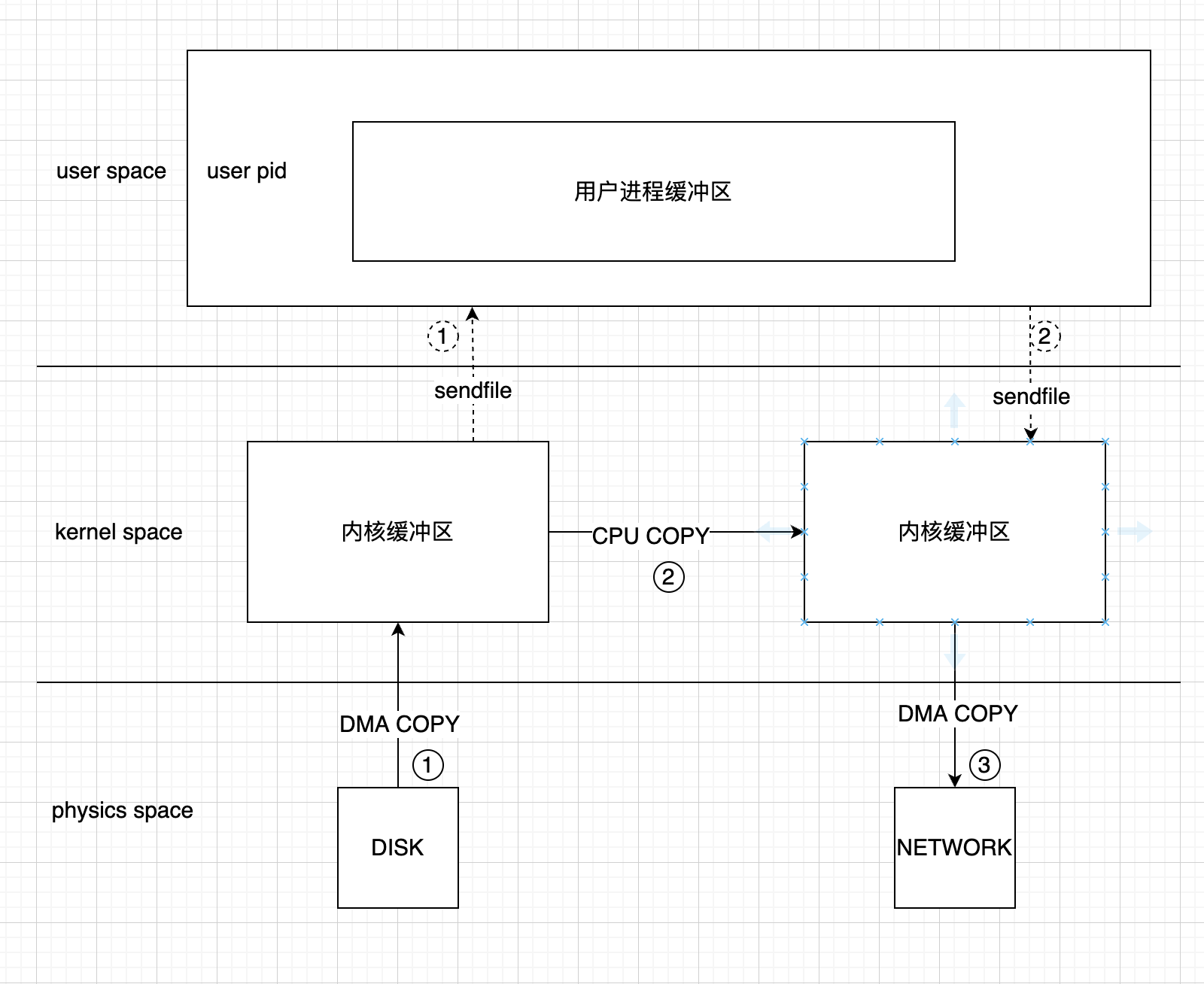
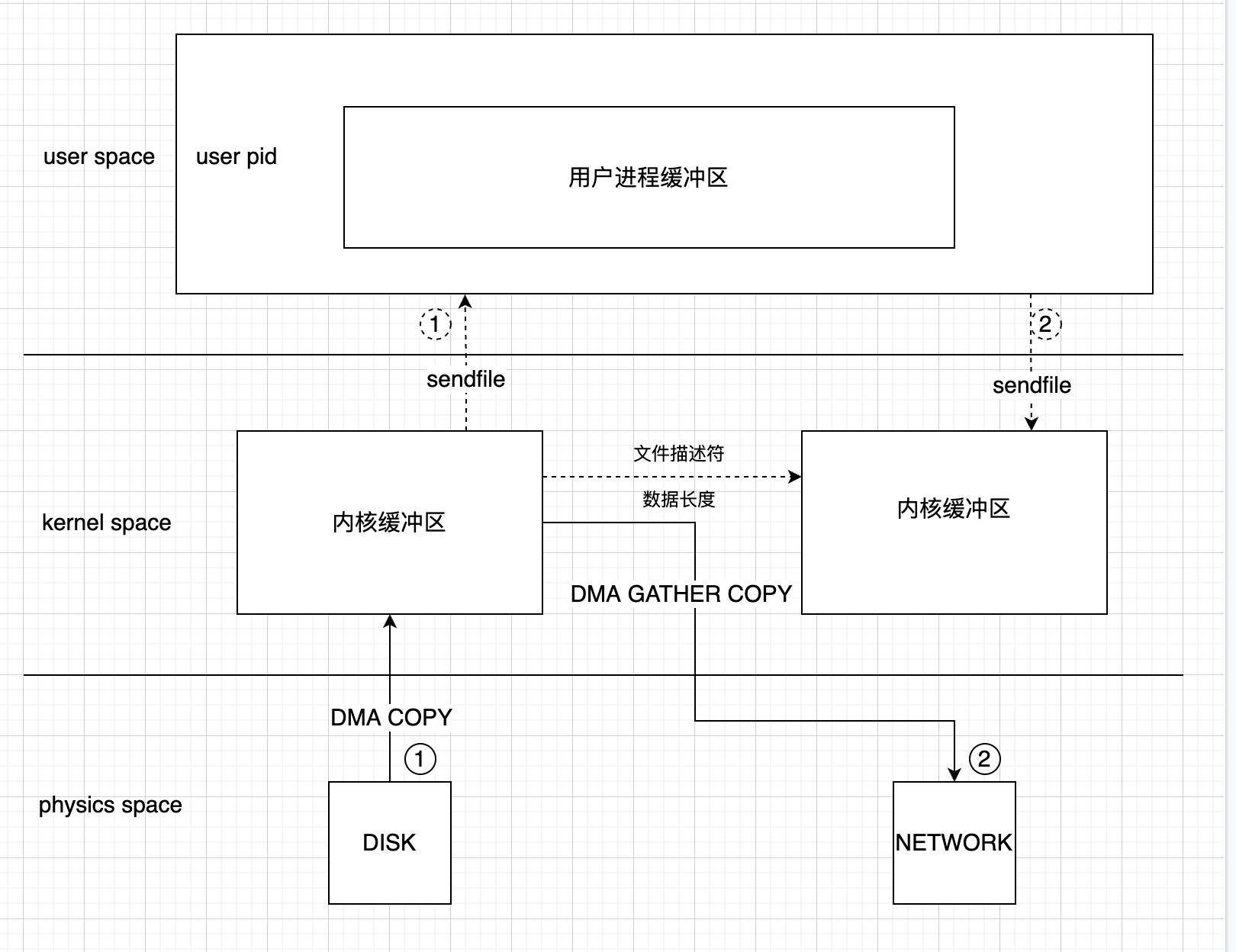
linux 2.4时,源内核缓冲区将少量的地址信息,数据大小等拷贝到目标内核缓冲区,其它数据直接从源内核缓冲区直接通过DMA COPY到目标网卡上.从而又减少了一次CPU拷贝.如图:
扩展:linux的splice()技术
代码实现:
1.普通的IO流
1
2
3
4
5
6
7
8
9
10
11
12
13
14
15
16
17
18
19
20
21
22
23
24
25
26
27
28
29
30
| package pers.xiaotian.ioproject.zerocopy;
import lombok.extern.slf4j.Slf4j;
import java.io.*;
import java.net.Socket;
import java.util.Scanner;
@Slf4j
public class CommonIOTest {
public static void main(String[] args) throws IOException {
long startTime = System.currentTimeMillis();
File target = new File("2.zip");
if(!target.exists()){
target.createNewFile();
}
FileOutputStream fileOutputStream = new FileOutputStream(target);
FileInputStream fileInputStream = new FileInputStream("1.zip");
int len;
byte[] b = new byte[4096];
while((len = fileInputStream.read(b))!=-1){
fileOutputStream.write(b, 0, len);
}
log.info("耗费时间:time = {}", System.currentTimeMillis()-startTime);
}
}
|
2.MMAP,通过MappedByteBuffer实现
1
2
3
4
5
6
7
8
9
10
11
12
13
14
15
16
17
18
19
20
21
22
23
24
25
26
27
28
29
30
| package pers.xiaotian.ioproject.zerocopy;
import lombok.extern.slf4j.Slf4j;
import java.io.File;
import java.io.FileInputStream;
import java.io.IOException;
import java.nio.MappedByteBuffer;
import java.nio.channels.FileChannel;
import java.nio.file.StandardOpenOption;
@Slf4j
public class MMapIOTest {
public static void main(String[] args) throws IOException {
long startTime = System.currentTimeMillis();
FileChannel sourceChannel = new FileInputStream("1.zip").getChannel();
MappedByteBuffer readBuffer = sourceChannel.map(FileChannel.MapMode.READ_ONLY, 0, sourceChannel.size());
File target = new File("2.zip");
if(!target.exists()){
target.createNewFile();
}
FileChannel targetChannel = FileChannel.open(target.toPath(), StandardOpenOption.READ,
StandardOpenOption.WRITE, StandardOpenOption.TRUNCATE_EXISTING);
MappedByteBuffer targetBuffer = targetChannel.map(FileChannel.MapMode.READ_WRITE, 0, sourceChannel.size());
targetBuffer.put(readBuffer);
targetBuffer.force();
log.info("耗费时间:time = {}", System.currentTimeMillis()-startTime);
}
}
|
3.sendfile,通过FileChannel的transferTo方法实现
1
2
3
4
5
6
7
8
9
10
11
12
13
14
15
16
17
18
19
20
21
22
23
24
25
26
27
28
29
30
31
32
| package pers.xiaotian.ioproject.zerocopy;
import lombok.extern.slf4j.Slf4j;
import java.io.File;
import java.io.FileInputStream;
import java.io.FileOutputStream;
import java.io.IOException;
import java.nio.channels.FileChannel;
@Slf4j
public class SendFileIOTest {
public static void main(String[] args) throws IOException {
long startTime = System.currentTimeMillis();
File target = new File("2.zip");
if(!target.exists()){
target.createNewFile();
}
FileOutputStream fileOutputStream = new FileOutputStream(target);
FileChannel targetChannel = fileOutputStream.getChannel();
FileInputStream fileInputStream = new FileInputStream("1.zip");
FileChannel sourceChannel = fileInputStream.getChannel();
sourceChannel.transferTo(0, sourceChannel.size(), targetChannel);
log.info("耗费时间:time = {}", System.currentTimeMillis()-startTime);
}
}
|
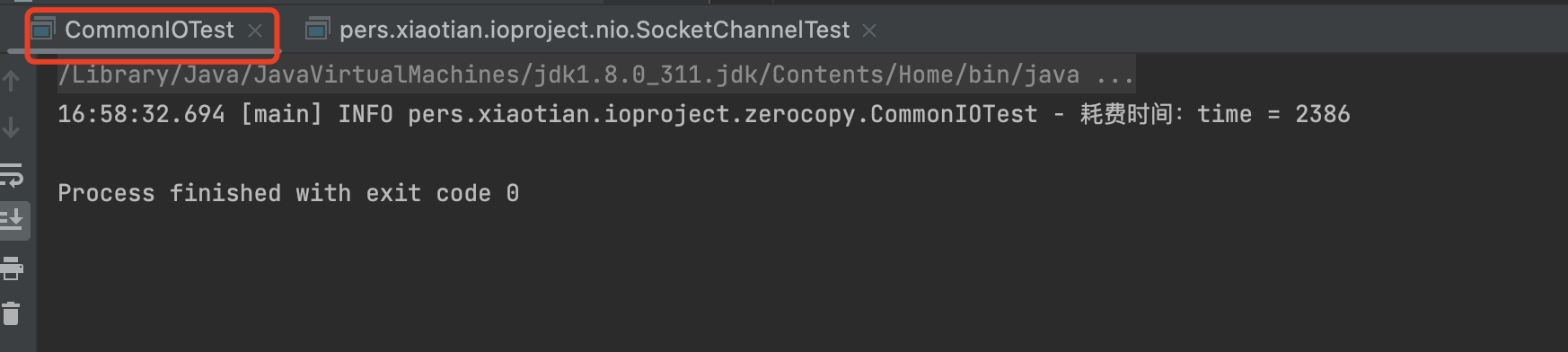
执行结果如图:


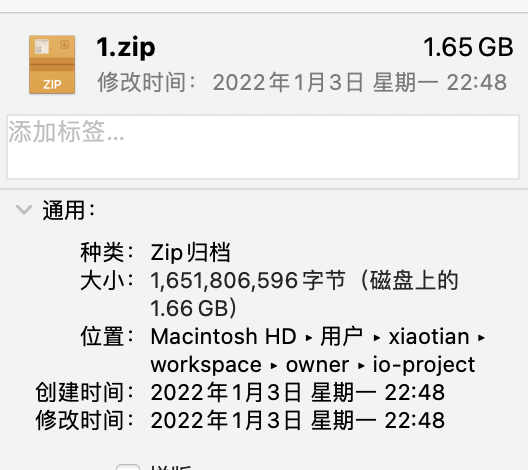
源文件大小如图:
Reactor模型
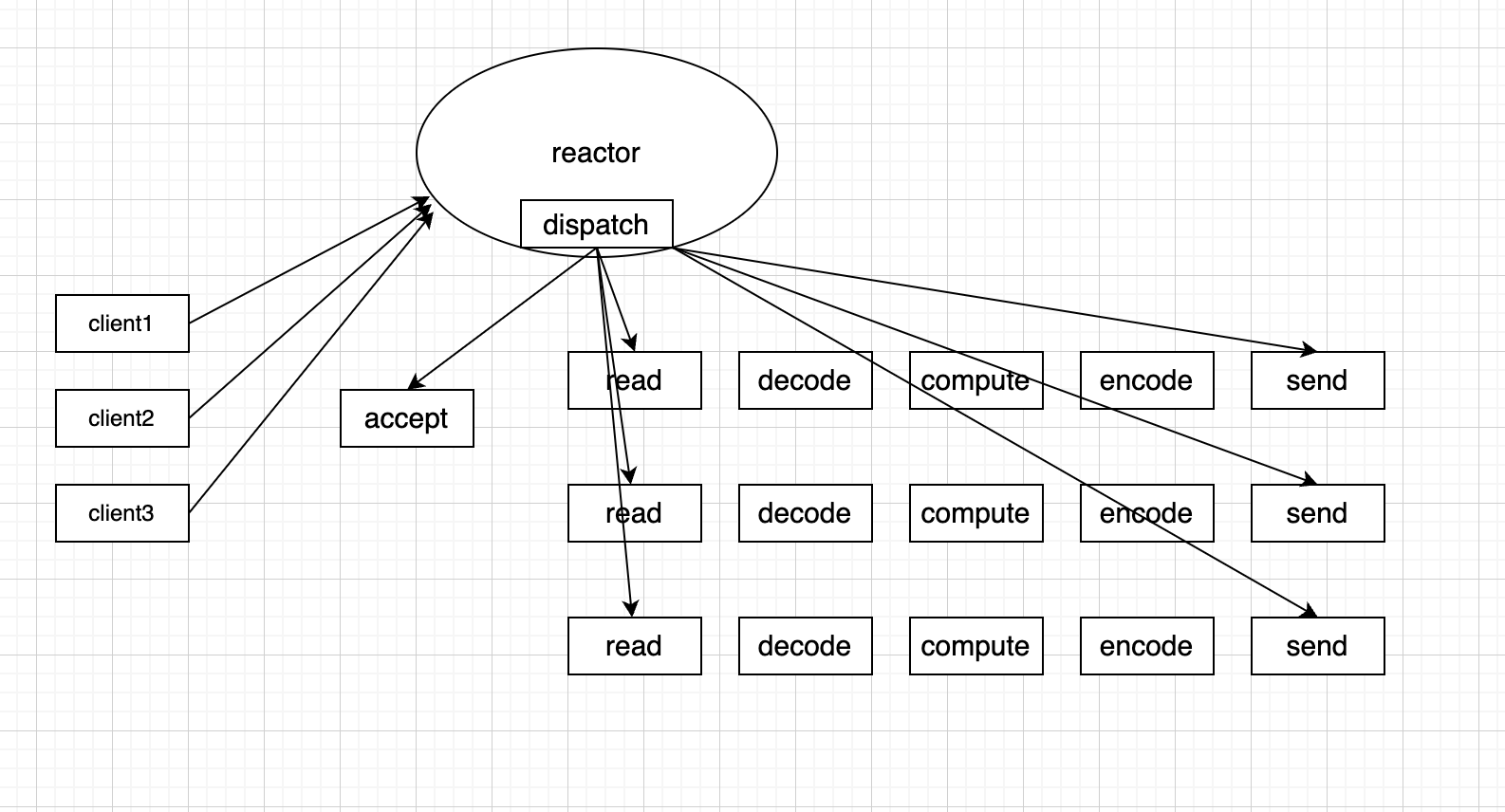
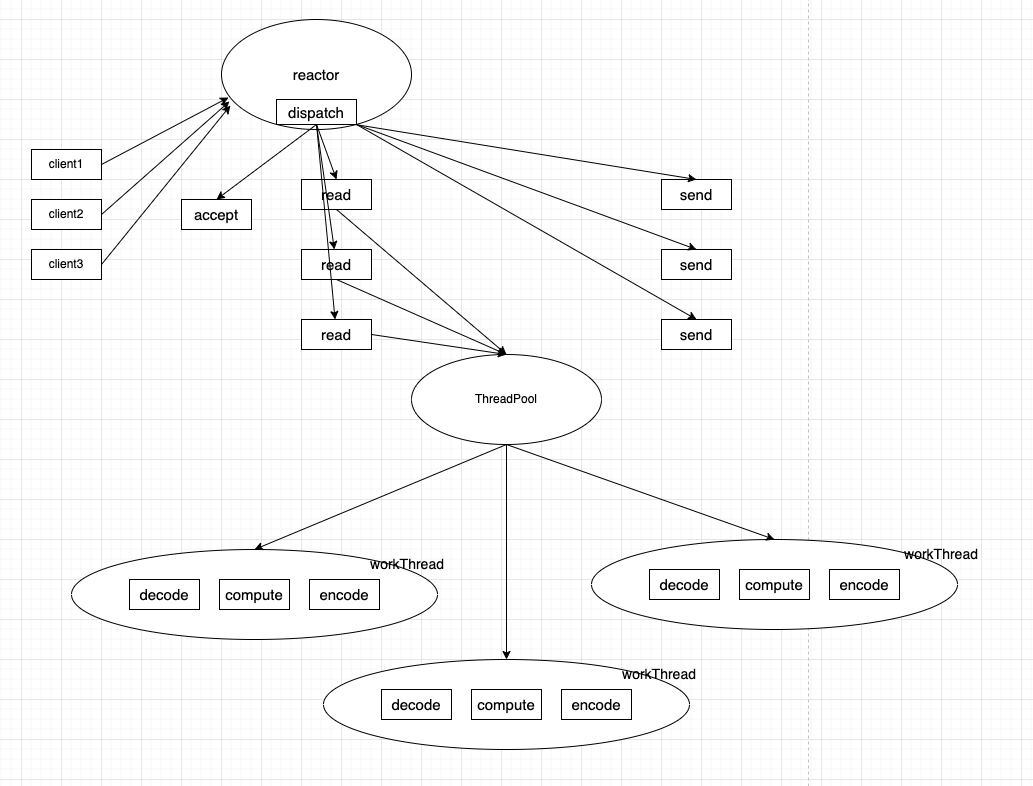
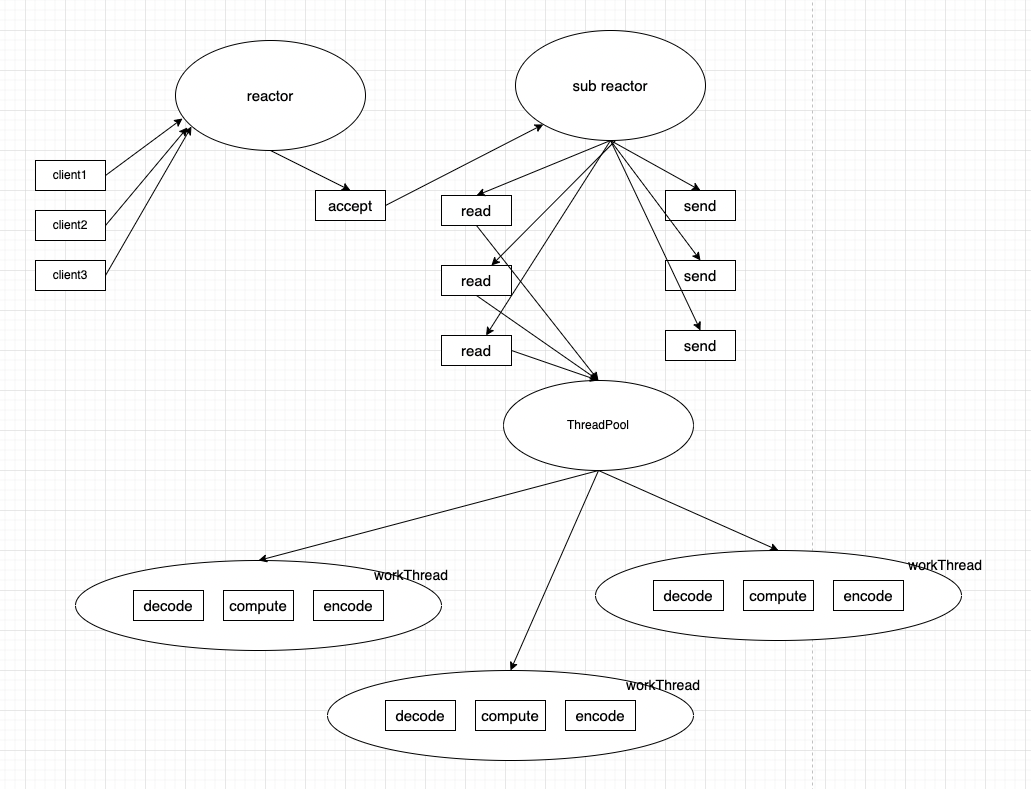
具体可以分为: 单reactor单线程模型,单reactor多线程模型,多reactor多线程模型
单reactor单线程模型:
单reactor多线程模型:
多reactor多线程模型:
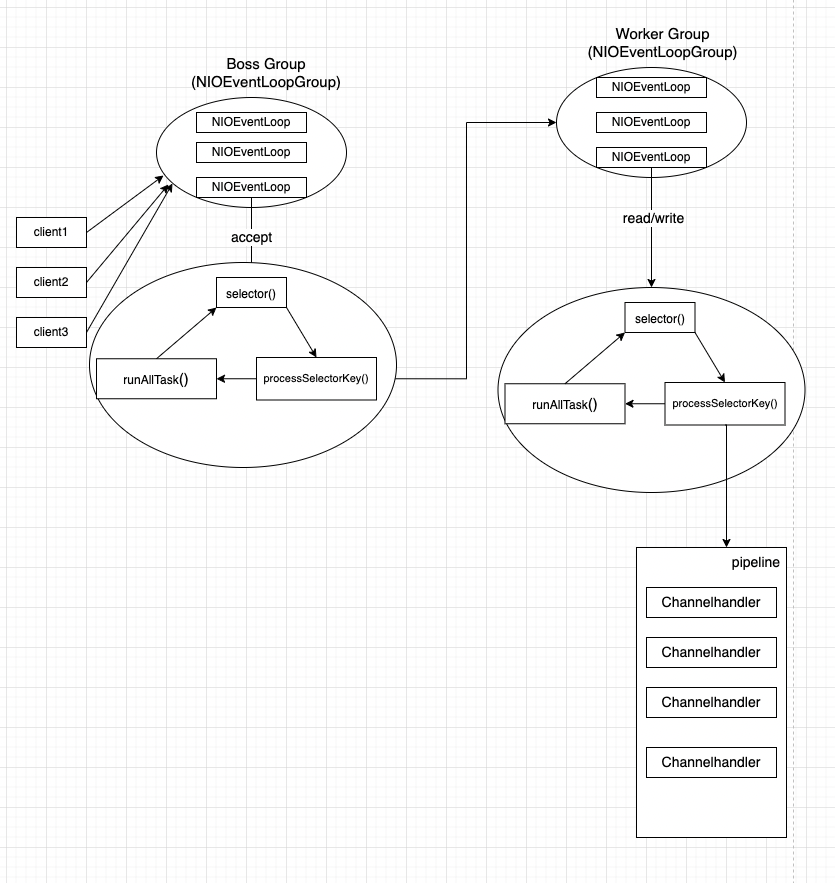
NIO-netty的Reactor模型就是采用主从Reactor架构设计的,具体架构图如下:
Netty代码简单示例
引入netty的jar包
1
2
3
4
5
| <dependency>
<groupId>io.netty</groupId>
<artifactId>netty-all</artifactId>
<version>4.1.86.Final</version>
</dependency>
|
serverBootstrap代码
1
2
3
4
5
6
7
8
9
10
11
12
13
14
15
16
17
18
19
20
21
22
23
24
25
26
27
28
29
30
31
32
33
34
35
36
37
38
| package pers.xiaotian.ioproject.netty;
import io.netty.bootstrap.ServerBootstrap;
import io.netty.channel.ChannelFuture;
import io.netty.channel.ChannelInitializer;
import io.netty.channel.ChannelOption;
import io.netty.channel.nio.NioEventLoopGroup;
import io.netty.channel.socket.ServerSocketChannel;
import io.netty.channel.socket.SocketChannel;
import io.netty.channel.socket.nio.NioServerSocketChannel;
public class NettyServerSocket {
public static void main(String[] args) throws InterruptedException {
NioEventLoopGroup bossGroup = new NioEventLoopGroup();
NioEventLoopGroup workGroup = new NioEventLoopGroup();
ServerBootstrap serverBootstrap = new ServerBootstrap();
serverBootstrap.group(bossGroup, workGroup)
.channel(NioServerSocketChannel.class)
.childHandler(new ChannelInitializer<SocketChannel>() {
@Override
protected void initChannel(SocketChannel socketChannel) throws Exception {
socketChannel.pipeline().addLast(new ServerHandler());
}
})
.option(ChannelOption.SO_BACKLOG, 128);
ChannelFuture cf = serverBootstrap.bind(6666).sync();
cf.channel().closeFuture().sync();
}
}
|
ServerHandler代码:
1
2
3
4
5
6
7
8
9
10
11
12
13
14
15
16
17
18
19
20
21
22
23
24
25
26
27
28
29
30
31
32
33
34
35
36
37
38
39
40
41
42
43
44
45
| package pers.xiaotian.ioproject.netty;
import io.netty.buffer.ByteBuf;
import io.netty.buffer.Unpooled;
import io.netty.channel.ChannelHandlerContext;
import io.netty.channel.ChannelInboundHandlerAdapter;
import io.netty.util.CharsetUtil;
import lombok.extern.slf4j.Slf4j;
import java.net.SocketAddress;
@Slf4j
public class ServerHandler extends ChannelInboundHandlerAdapter {
@Override
public void channelActive(ChannelHandlerContext ctx) throws Exception {
SocketAddress client = ctx.channel().remoteAddress();
log.info("一个客户端正在建立连接,client = {}", client);
ctx.channel().writeAndFlush(Unpooled.copiedBuffer("你好, 我是服务端!", CharsetUtil.UTF_8));
}
@Override
public void channelRead(ChannelHandlerContext ctx, Object msg) throws Exception {
ByteBuf byteBuf = (ByteBuf) msg;
String result = byteBuf.toString(CharsetUtil.UTF_8);
log.info("收到客户端的消息, client = {}: result = {}", ctx.channel().remoteAddress(), result);
}
@Override
public void channelReadComplete(ChannelHandlerContext ctx) throws Exception {
String msg = "hello, 消息已收到";
log.info("msg is complete, msg = {}", msg);
}
@Override
public void exceptionCaught(ChannelHandlerContext ctx, Throwable cause) throws Exception {
log.error("方法异常,原因为 e = {}", cause);
}
}
|
clientBootstrap代码
1
2
3
4
5
6
7
8
9
10
11
12
13
14
15
16
17
18
19
20
21
22
23
24
25
26
27
28
29
30
| package pers.xiaotian.ioproject.netty;
import io.netty.bootstrap.Bootstrap;
import io.netty.channel.ChannelFuture;
import io.netty.channel.ChannelInitializer;
import io.netty.channel.EventLoopGroup;
import io.netty.channel.nio.NioEventLoopGroup;
import io.netty.channel.socket.SocketChannel;
import io.netty.channel.socket.nio.NioSocketChannel;
public class NettyClientSocket {
public static void main(String[] args) throws InterruptedException {
Bootstrap clientBootstrap = new Bootstrap();
EventLoopGroup workerGroup = new NioEventLoopGroup();
Bootstrap worker = clientBootstrap.group(workerGroup)
.channel(NioSocketChannel.class)
.handler(new ChannelInitializer<SocketChannel>() {
@Override
protected void initChannel(SocketChannel socketChannel) throws Exception {
socketChannel.pipeline().addLast(new ClientHandler());
}
});
ChannelFuture cf = worker.connect("127.0.0.1", 6666).sync();
cf.channel().closeFuture();
}
}
|
ClientHandler代码
1
2
3
4
5
6
7
8
9
10
11
12
13
14
15
16
17
18
19
20
21
22
23
24
25
26
27
28
29
30
31
32
| package pers.xiaotian.ioproject.netty;
import io.netty.buffer.ByteBuf;
import io.netty.buffer.Unpooled;
import io.netty.channel.ChannelHandlerContext;
import io.netty.channel.ChannelInboundHandlerAdapter;
import io.netty.util.CharsetUtil;
import lombok.extern.slf4j.Slf4j;
@Slf4j
public class ClientHandler extends ChannelInboundHandlerAdapter {
@Override
public void channelRead(ChannelHandlerContext ctx, Object msg) throws Exception {
ByteBuf byteBuf = (ByteBuf) msg;
String result = byteBuf.toString(CharsetUtil.UTF_8);
log.info("收到服务端的消息, client = {}: result = {}", ctx.channel().remoteAddress(), result);
String sendMsg = "你好 我是客户端";
ctx.channel().writeAndFlush(Unpooled.copiedBuffer(sendMsg, CharsetUtil.UTF_8));
}
@Override
public void exceptionCaught(ChannelHandlerContext ctx, Throwable cause) throws Exception {
log.error("方法异常,原因为 e = {}", cause);
}
}
|
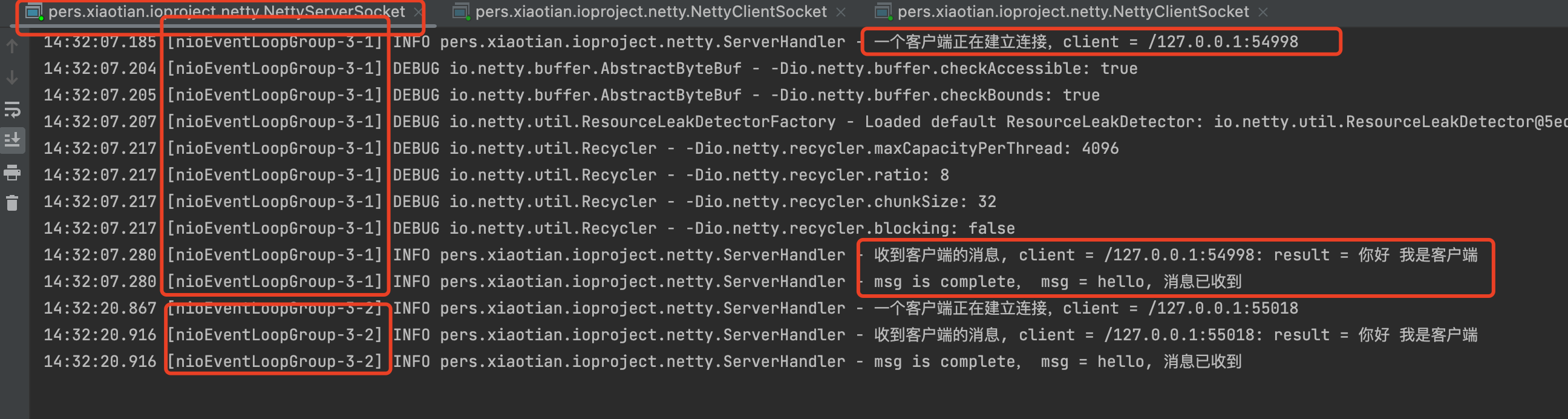
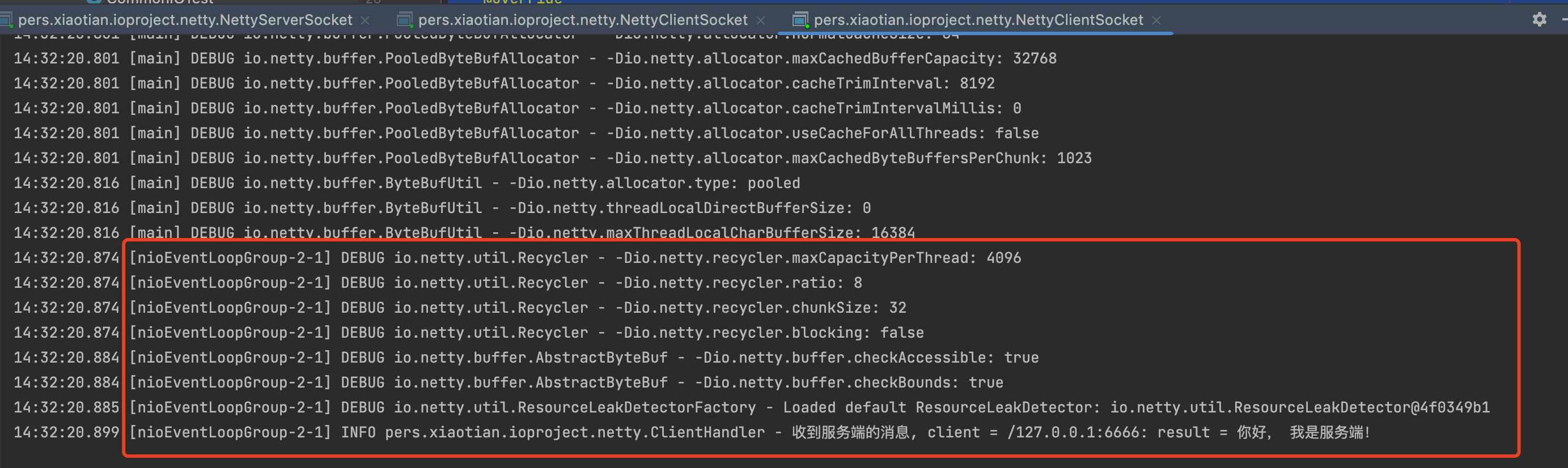
执行结果,如图:
服务端输出:
客户端输出:
Client1输出:

Client2输出:
Netty代码的HTTP请求示例
主要使用netty的HttpServerCodec组件进行http协议的编码和解码处理
netty服务端代码如下:
nettyServer代码
1
2
3
4
5
6
7
8
9
10
11
12
13
14
15
16
17
18
19
20
21
22
23
24
25
26
27
28
29
30
31
32
33
34
35
36
| package pers.xiaotian.ioproject.netty.http;
import io.netty.bootstrap.ServerBootstrap;
import io.netty.channel.*;
import io.netty.channel.nio.NioEventLoopGroup;
import io.netty.channel.socket.nio.NioServerSocketChannel;
import io.netty.channel.socket.nio.NioSocketChannel;
import io.netty.handler.codec.http.HttpServerCodec;
public class NettyHttpServerSocket {
public static void main(String[] args) throws Exception{
EventLoopGroup bossGroup = new NioEventLoopGroup(1);
EventLoopGroup workGroup = new NioEventLoopGroup();
try {
ServerBootstrap serverBootstrap = new ServerBootstrap();
serverBootstrap.group(bossGroup, workGroup)
.channel(NioServerSocketChannel.class)
.option(ChannelOption.SO_BACKLOG, 128)
.childHandler(new ChannelInitializer<NioSocketChannel>() {
@Override
protected void initChannel(NioSocketChannel socketChannel) throws Exception {
socketChannel.pipeline().addLast(new HttpServerCodec())
.addLast(new MyHttpHandler());
}
});
ChannelFuture channelFuture = serverBootstrap.bind(6670).sync();
channelFuture.channel().closeFuture().sync();
}finally {
bossGroup.shutdownGracefully();
workGroup.shutdownGracefully();
}
}
}
|
自定义handler代码(传输的数据对象使用HttpObject组件):
1
2
3
4
5
6
7
8
9
10
11
12
13
14
15
16
17
18
19
20
21
22
23
24
25
26
27
| package pers.xiaotian.ioproject.netty.http;
import io.netty.buffer.ByteBuf;
import io.netty.buffer.Unpooled;
import io.netty.channel.ChannelHandlerContext;
import io.netty.channel.SimpleChannelInboundHandler;
import io.netty.handler.codec.http.*;
import io.netty.util.CharsetUtil;
import lombok.extern.slf4j.Slf4j;
@Slf4j
public class MyHttpHandler extends SimpleChannelInboundHandler<HttpObject> {
@Override
protected void channelRead0(ChannelHandlerContext channelHandlerContext, HttpObject s) throws Exception {
System.out.println("==========================");
if(s instanceof HttpRequest) {
log.info("服务器收到的信息, s= {}", s);
ByteBuf byteBuf = Unpooled.copiedBuffer("你好,我是nettyHttpServer", CharsetUtil.UTF_8);
DefaultHttpResponse defaultHttpResponse = new DefaultFullHttpResponse(HttpVersion.HTTP_1_1, HttpResponseStatus.OK, byteBuf);
defaultHttpResponse.headers().set(HttpHeaderNames.CONTENT_TYPE, "text/plain;Charset=utf-8");
defaultHttpResponse.headers().set(HttpHeaderNames.CONTENT_LENGTH, byteBuf.readableBytes());
channelHandlerContext.channel().writeAndFlush(defaultHttpResponse);
}
}
}
|
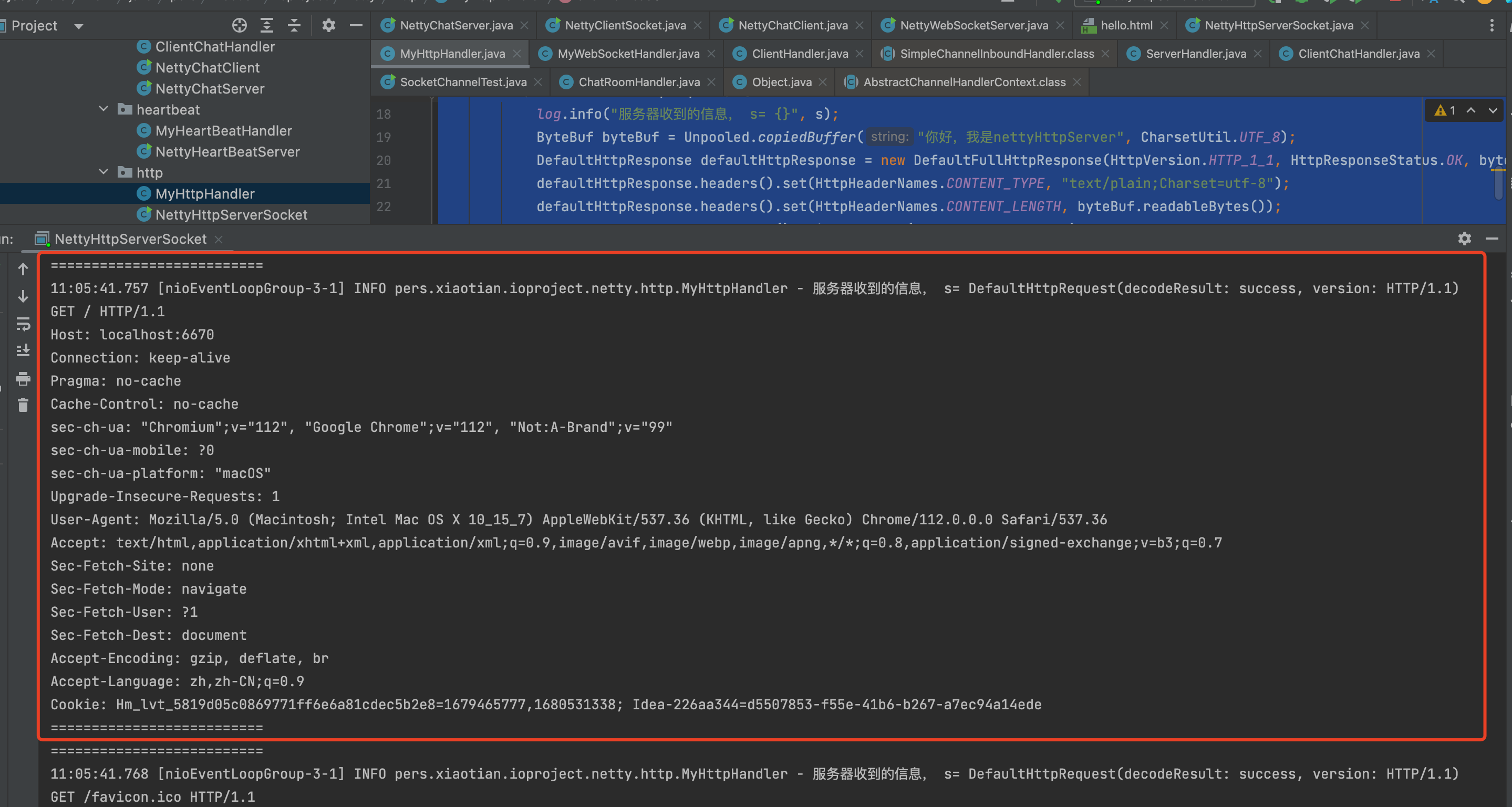
运行结果如下:
启动服务端代码:
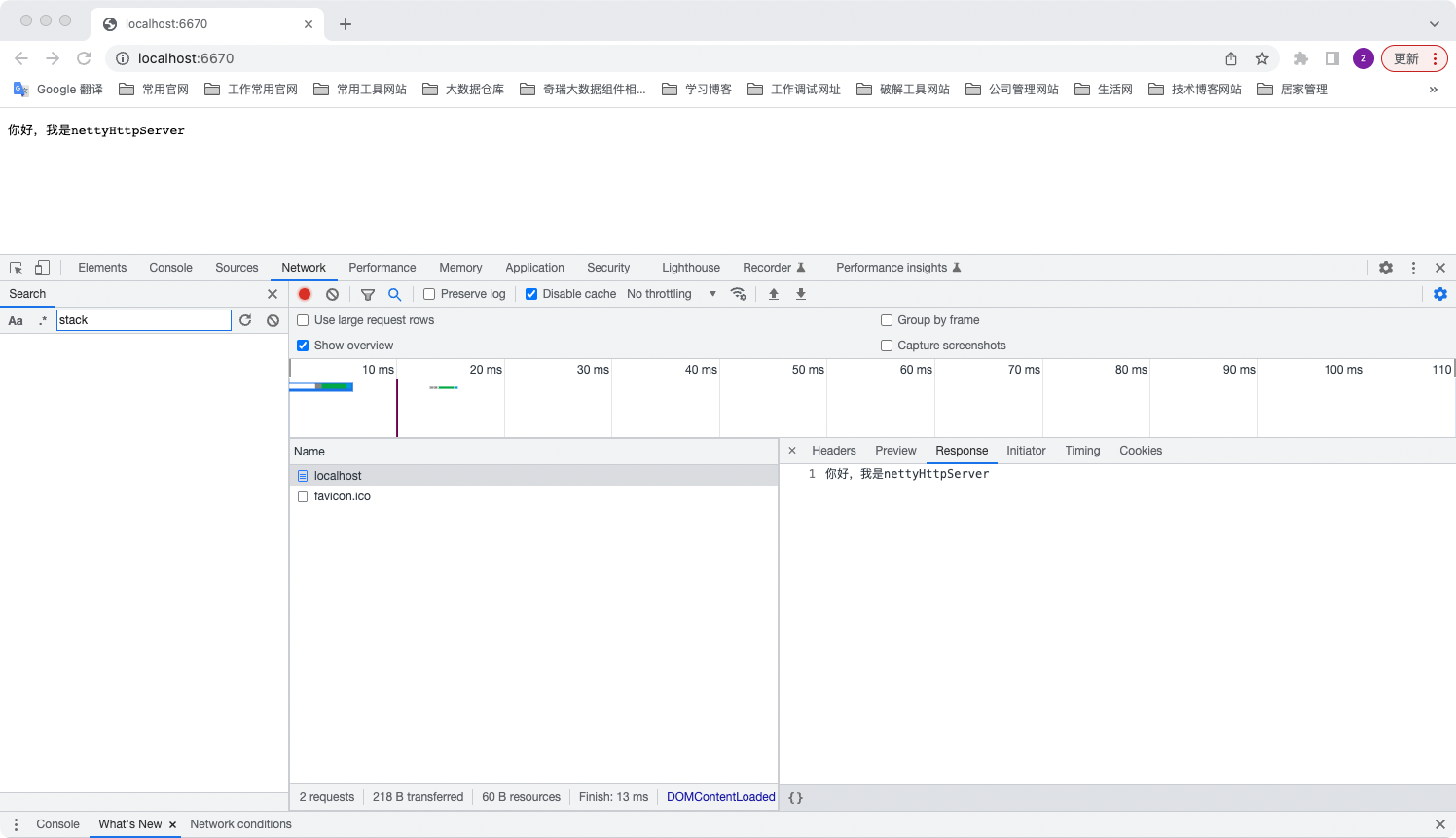
浏览器显示结果:
Netty代码的心跳机制请求示例
主要使用Netty的IdleStateHandler组件完成,通过重写ChannelInboundHandler的userEventTriggered完成
netty服务端代码如下:
nettyServer代码
1
2
3
4
5
6
7
8
9
10
11
12
13
14
15
16
17
18
19
20
21
22
23
24
25
26
27
28
29
30
31
32
33
34
35
36
37
38
39
40
| package pers.xiaotian.ioproject.netty.heartbeat;
import io.netty.bootstrap.ServerBootstrap;
import io.netty.channel.ChannelFuture;
import io.netty.channel.ChannelInitializer;
import io.netty.channel.EventLoopGroup;
import io.netty.channel.nio.NioEventLoopGroup;
import io.netty.channel.socket.nio.NioServerSocketChannel;
import io.netty.channel.socket.nio.NioSocketChannel;
import io.netty.handler.timeout.IdleStateHandler;
import java.util.concurrent.TimeUnit;
public class NettyHeartBeatServer {
public static void main(String[] args) throws InterruptedException {
EventLoopGroup bossGroup = new NioEventLoopGroup(1);
EventLoopGroup workerGroup = new NioEventLoopGroup();
try {
ServerBootstrap serverBootstrap = new ServerBootstrap();
serverBootstrap.group(bossGroup, workerGroup)
.channel(NioServerSocketChannel.class)
.childHandler(new ChannelInitializer<NioSocketChannel>() {
@Override
protected void initChannel(NioSocketChannel nioSocketChannel) throws Exception {
nioSocketChannel.pipeline()
.addLast(new IdleStateHandler(3,5,7, TimeUnit.SECONDS))
.addLast(new MyHeartBeatHandler());
}
});
ChannelFuture channelFuture = serverBootstrap.bind(6666).sync();
channelFuture.channel().closeFuture().sync();
} finally {
bossGroup.shutdownGracefully();
workerGroup.shutdownGracefully();
}
}
}
|
自定义handler代码(通过重写userEventTriggered方法来完成):
IdleStateEvent对应监听读事件,写事件,读写事件来完成,具体代码如下:
1
2
3
4
5
6
7
8
9
10
11
12
13
14
15
16
17
18
19
20
21
22
23
24
25
26
27
28
29
30
31
| package pers.xiaotian.ioproject.netty.heartbeat;
import io.netty.channel.ChannelHandlerContext;
import io.netty.channel.ChannelInboundHandlerAdapter;
import io.netty.handler.timeout.IdleStateEvent;
import lombok.extern.slf4j.Slf4j;
@Slf4j
public class MyHeartBeatHandler extends ChannelInboundHandlerAdapter {
@Override
public void userEventTriggered(ChannelHandlerContext ctx, Object evt) throws Exception {
if(evt instanceof IdleStateEvent){
IdleStateEvent idleStateEvent = (IdleStateEvent) evt;
String stateString = "";
switch (idleStateEvent.state()) {
case READER_IDLE:
stateString = "读超时";
break;
case WRITER_IDLE:
stateString = "写超时";
break;
case ALL_IDLE:
stateString = "读写超时";
break;
}
log.info("服务器输出事件结果: stateString = {}", stateString);
}
}
}
|
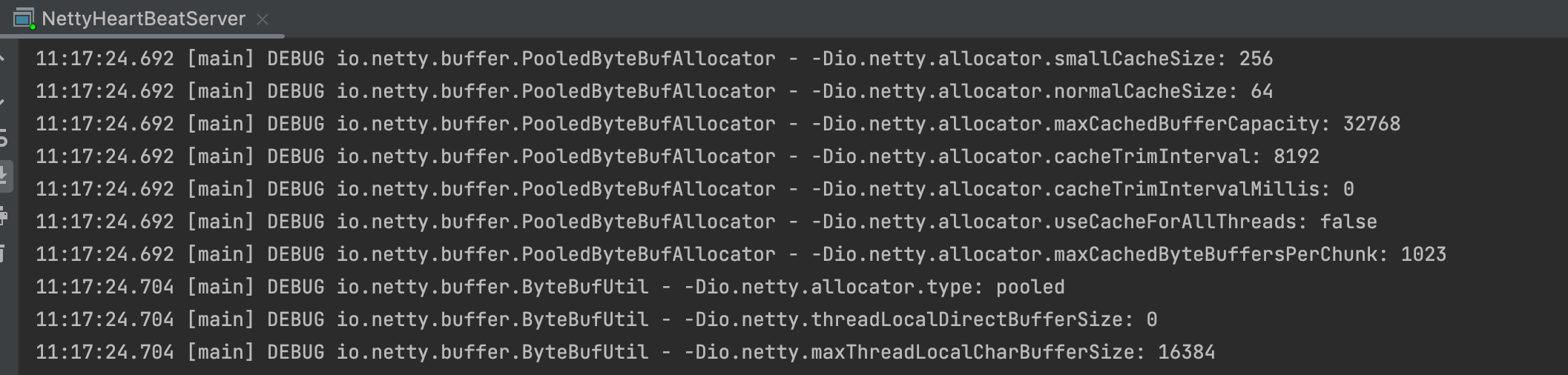
启动服务端,执行结果如下:
启动客户端,执行结果如下:
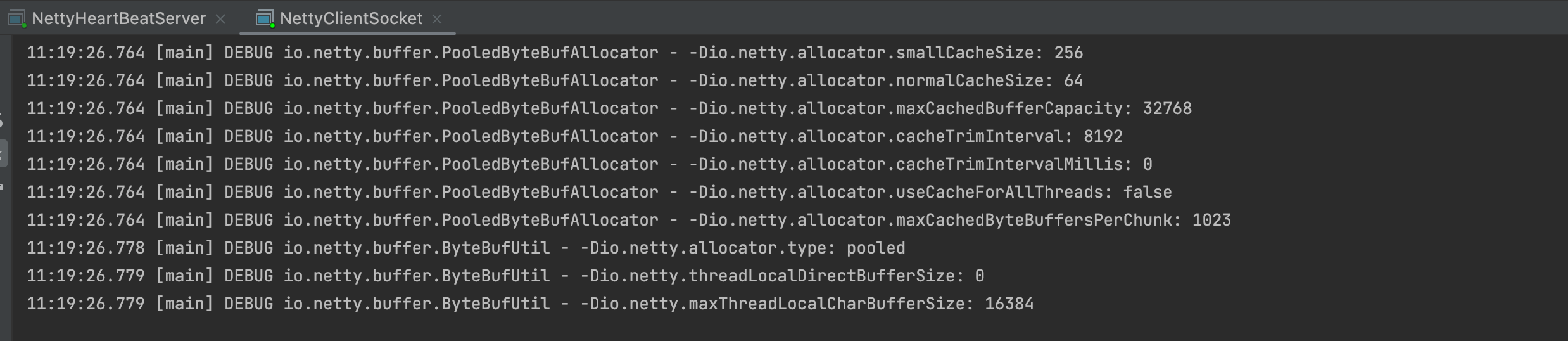
启动完成后,观察服务端的响应事件,如图:

Netty各客户端聊天代码示例
主要通过ChannelGroup进行客户端消息的转发,重写ChannelInboundHandlerAdapter的handlerAdded和channelRead方法.
ChannelGroup组件初始化时需要使用GlobalEventExecutor的实例
nettyServer代码
1
2
3
4
5
6
7
8
9
10
11
12
13
14
15
16
17
18
19
20
21
22
23
24
25
26
27
28
29
30
31
32
33
34
35
| package pers.xiaotian.ioproject.netty.chatroom;
import io.netty.bootstrap.ServerBootstrap;
import io.netty.channel.ChannelFuture;
import io.netty.channel.ChannelInitializer;
import io.netty.channel.ChannelOption;
import io.netty.channel.EventLoopGroup;
import io.netty.channel.nio.NioEventLoopGroup;
import io.netty.channel.socket.nio.NioServerSocketChannel;
import io.netty.channel.socket.nio.NioSocketChannel;
public class NettyChatServer {
public static void main(String[] args) throws InterruptedException {
EventLoopGroup bossGroup = new NioEventLoopGroup(1);
EventLoopGroup workerGroup = new NioEventLoopGroup();
try {
ServerBootstrap serverBootstrap = new ServerBootstrap();
serverBootstrap.group(bossGroup, workerGroup)
.channel(NioServerSocketChannel.class)
.option(ChannelOption.SO_KEEPALIVE, true)
.childHandler(new ChannelInitializer<NioSocketChannel>() {
@Override
protected void initChannel(NioSocketChannel nioSocketChannel) throws Exception {
nioSocketChannel.pipeline().addLast(new ChatRoomHandler());
}
});
ChannelFuture channelFuture = serverBootstrap.bind(6677).sync();
channelFuture.channel().closeFuture().sync();
} finally {
bossGroup.shutdownGracefully();
workerGroup.shutdownGracefully();
}
}
}
|
serverHandler代码示例:
1
2
3
4
5
6
7
8
9
10
11
12
13
14
15
16
17
18
19
20
21
22
23
24
25
26
27
28
29
30
31
32
33
34
35
36
37
38
39
40
41
42
43
44
45
46
47
48
49
50
51
52
53
54
55
56
57
58
59
60
61
| package pers.xiaotian.ioproject.netty.chatroom;
import io.netty.buffer.ByteBuf;
import io.netty.buffer.Unpooled;
import io.netty.channel.Channel;
import io.netty.channel.ChannelHandlerContext;
import io.netty.channel.ChannelInboundHandlerAdapter;
import io.netty.channel.group.ChannelGroup;
import io.netty.channel.group.DefaultChannelGroup;
import io.netty.util.CharsetUtil;
import io.netty.util.concurrent.EventExecutor;
import io.netty.util.concurrent.GlobalEventExecutor;
import lombok.extern.slf4j.Slf4j;
@Slf4j
public class ChatRoomHandler extends ChannelInboundHandlerAdapter {
private static ChannelGroup channelGroup = new DefaultChannelGroup(GlobalEventExecutor.INSTANCE);
@Override
public void handlerAdded(ChannelHandlerContext ctx) throws Exception {
Channel channel = ctx.channel();
log.info("channel = {}", channel);
channelGroup.writeAndFlush(Unpooled.copiedBuffer(("客户端"+channel.remoteAddress()+", 上线了").getBytes()));
channelGroup.add(channel);
}
@Override
public void handlerRemoved(ChannelHandlerContext ctx) throws Exception {
Channel channel = ctx.channel();
log.info("channel = {}", channel);
channelGroup.writeAndFlush(Unpooled.copiedBuffer(("客户端"+channel.remoteAddress()+", 下线了").getBytes()));
}
@Override
public void channelActive(ChannelHandlerContext ctx) throws Exception {
Channel channel = ctx.channel();
log.info("客户端"+channel.remoteAddress()+", 上线了");
}
@Override
public void channelInactive(ChannelHandlerContext ctx) throws Exception {
Channel channel = ctx.channel();
log.info("客户端"+channel.remoteAddress()+", 下线了");
}
@Override
public void channelRead(ChannelHandlerContext ctx, Object msg) throws Exception {
Channel self = ctx.channel();
log.info("channel = {}, msg = {}", self, msg.toString());
for(Channel channel: channelGroup){
if(self == channel){
channel.writeAndFlush(Unpooled.copiedBuffer(("自己说:"+((ByteBuf)msg).toString(CharsetUtil.UTF_8)).getBytes()));
}else{
channel.writeAndFlush(Unpooled.copiedBuffer(("客户端"+self.remoteAddress()+"说:"+((ByteBuf) msg).toString(CharsetUtil.UTF_8)).getBytes()));
}
}
}
}
|
NettyClient代码
1
2
3
4
5
6
7
8
9
10
11
12
13
14
15
16
17
18
19
20
21
22
23
24
25
26
27
28
29
30
31
32
33
34
35
36
37
38
39
40
41
42
43
| package pers.xiaotian.ioproject.netty.chatroom;
import io.netty.bootstrap.Bootstrap;
import io.netty.buffer.Unpooled;
import io.netty.channel.ChannelFuture;
import io.netty.channel.ChannelInitializer;
import io.netty.channel.EventLoopGroup;
import io.netty.channel.nio.NioEventLoopGroup;
import io.netty.channel.socket.nio.NioSocketChannel;
import io.netty.util.CharsetUtil;
import lombok.extern.slf4j.Slf4j;
import java.util.Scanner;
@Slf4j
public class NettyChatClient {
public static void main(String[] args) throws InterruptedException {
EventLoopGroup group = new NioEventLoopGroup();
try {
Bootstrap bootstrap = new Bootstrap();
bootstrap.group(group)
.channel(NioSocketChannel.class)
.handler(new ChannelInitializer<NioSocketChannel>() {
@Override
protected void initChannel(NioSocketChannel nioSocketChannel) throws Exception {
nioSocketChannel.pipeline().addLast(new ClientChatHandler());
}
});
ChannelFuture channelFuture = bootstrap.connect("localhost", 6677).sync();
log.info("客户端"+channelFuture.channel().localAddress()+"启动了!");
Scanner scanner = new Scanner(System.in);
while(scanner.hasNextLine()){
String next = scanner.nextLine();
channelFuture.channel().writeAndFlush(Unpooled.copiedBuffer(next.getBytes(CharsetUtil.UTF_8)));
}
} finally {
group.shutdownGracefully();
}
}
}
|
ClientHandler代码
1
2
3
4
5
6
7
8
9
10
11
12
13
14
15
16
17
18
| package pers.xiaotian.ioproject.netty.chatroom;
import io.netty.buffer.ByteBuf;
import io.netty.channel.ChannelHandlerContext;
import io.netty.channel.ChannelInboundHandlerAdapter;
import io.netty.util.CharsetUtil;
import lombok.extern.slf4j.Slf4j;
@Slf4j
public class ClientChatHandler extends ChannelInboundHandlerAdapter {
@Override
public void channelRead(ChannelHandlerContext ctx, Object msg) throws Exception {
ByteBuf byteBuf = (ByteBuf) msg;
log.info("服务端发送的消息:byteBuf = {}", byteBuf.toString(CharsetUtil.UTF_8));
}
}
|
执行结果如下:
启动server端:
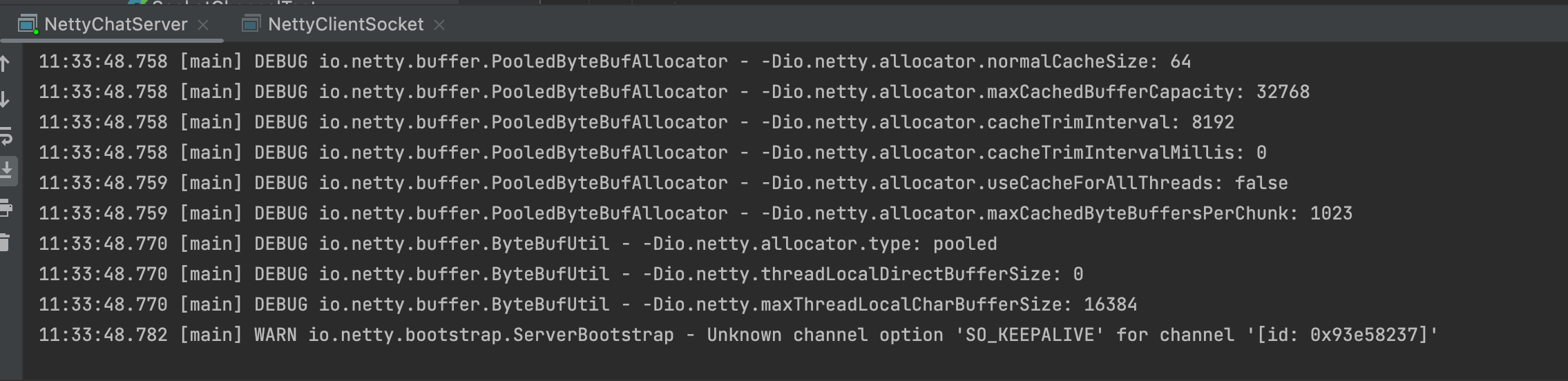
启动两个客户端服务:

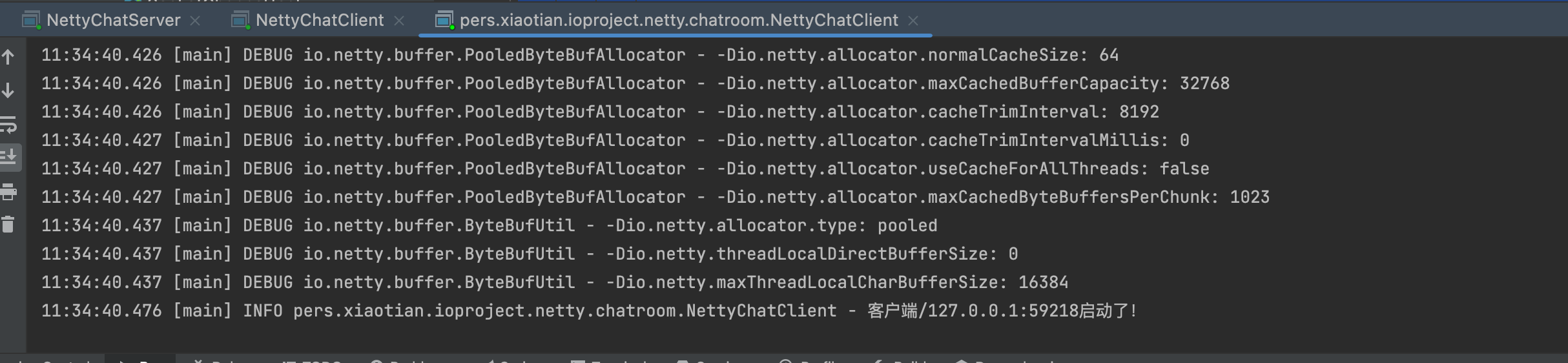
对应两个客户端分别发送聊天消息和接收到的消息记录,如图:


断开其中一个客户端,另外一个客户端可以接收到监听事件,如图:

如果出现问题,建议重新换个服务端口绑定再进行测试一次!!!
Netty建立WebSocket连接代码示例
Netty的WebSocket连接是基于http请求的,所以需要使用HttpServerCodec(http的编解码handler)、ChunkedWritedHandler(块)、HttpObjectAggregator(分段,聚合段)、WebSocketServerProtocolHandler(webSocket服务端协议处理器)
nettyServer代码
1
2
3
4
5
6
7
8
9
10
11
12
13
14
15
16
17
18
19
20
21
22
23
24
25
26
27
28
29
30
31
32
33
34
35
36
37
38
39
40
41
42
| package pers.xiaotian.ioproject.netty.websocket;
import io.netty.bootstrap.ServerBootstrap;
import io.netty.channel.ChannelFuture;
import io.netty.channel.ChannelInitializer;
import io.netty.channel.EventLoopGroup;
import io.netty.channel.nio.NioEventLoopGroup;
import io.netty.channel.socket.SocketChannel;
import io.netty.channel.socket.nio.NioServerSocketChannel;
import io.netty.handler.codec.http.HttpObjectAggregator;
import io.netty.handler.codec.http.HttpServerCodec;
import io.netty.handler.codec.http.websocketx.WebSocketServerProtocolHandler;
import io.netty.handler.stream.ChunkedWriteHandler;
public class NettyWebSocketServer {
public static void main(String[] args) throws InterruptedException {
EventLoopGroup bossGroup = new NioEventLoopGroup(1);
EventLoopGroup workerGroup = new NioEventLoopGroup();
try{
ServerBootstrap serverBootstrap = new ServerBootstrap();
serverBootstrap.group(bossGroup, workerGroup)
.channel(NioServerSocketChannel.class)
.childHandler(new ChannelInitializer<SocketChannel>() {
@Override
protected void initChannel(SocketChannel socketChannel) throws Exception {
socketChannel.pipeline().addLast(new HttpServerCodec())
.addLast(new ChunkedWriteHandler())
.addLast(new HttpObjectAggregator(8196))
.addLast(new WebSocketServerProtocolHandler("/hello"))
.addLast(new MyWebSocketHandler());
}
});
ChannelFuture channelFuture = serverBootstrap.bind(6678).sync();
channelFuture.channel().closeFuture().sync();
}finally {
bossGroup.shutdownGracefully();
workerGroup.shutdownGracefully();
}
}
}
|
自定义handler(使用TextWebSocketFrame对象传输)
1
2
3
4
5
6
7
8
9
10
11
12
13
14
15
16
17
18
19
20
21
22
23
24
25
26
27
28
29
30
31
32
| package pers.xiaotian.ioproject.netty.websocket;
import io.netty.channel.ChannelHandlerContext;
import io.netty.channel.SimpleChannelInboundHandler;
import io.netty.handler.codec.http.websocketx.TextWebSocketFrame;
import lombok.extern.slf4j.Slf4j;
import java.text.SimpleDateFormat;
import java.time.LocalDateTime;
@Slf4j
public class MyWebSocketHandler extends SimpleChannelInboundHandler<TextWebSocketFrame> {
@Override
protected void channelRead0(ChannelHandlerContext channelHandlerContext, TextWebSocketFrame textWebSocketFrame) throws Exception {
log.info("服务器收到的消息:"+textWebSocketFrame.text());
String mes = "服务器收到的消息: " + textWebSocketFrame.text();
channelHandlerContext.channel().writeAndFlush(new TextWebSocketFrame(mes));
}
@Override
public void handlerAdded(ChannelHandlerContext ctx) throws Exception {
log.info("客户端"+ctx.channel().id().asLongText()+", 连接被建立了!");
}
@Override
public void handlerRemoved(ChannelHandlerContext ctx) throws Exception {
log.info("客户端"+ctx.channel().id().asLongText()+", 连接被关闭了!");
}
}
|
客户端html代码
1
2
3
4
5
6
7
8
9
10
11
12
13
14
15
16
17
18
19
20
21
22
23
24
25
26
27
28
29
30
31
32
33
34
35
36
37
38
39
40
41
42
43
44
45
46
47
48
49
50
51
52
53
54
| <!DOCTYPE html>
<html lang="en">
<head>
<meta charset="UTF-8">
<title>Title</title>
</head>
<body>
<script>
var socket;
if(window.WebSocket){
socket = new WebSocket("ws://localhost:6678/hello");
socket.onopen = function (ev){
var rt = document.getElementById("responseText");
rt.value = "连接建立成功! ";
}
socket.onmessage = function (ev){
var rt = document.getElementById("responseText");
rt.value = rt.value + "\n" + ev.data;
}
socket.onclose = function (ev){
var rt = document.getElementById("responseText");
rt.value = rt.value + "\n" + "断开连接成功";
}
}else {
alert("该浏览器不支持websocket服务!");
}
function send(mes){
alert(mes);
if(window.socket){
if(socket.readyState == WebSocket.OPEN){
socket.send(mes);
}
}
}
</script>
<form onsubmit="return false">
<textarea name = "message" style="height: 300px;width: 300px">
</textarea>
<input type="button" value="发送消息" onclick="send(form.message.value)">
<textarea id = "responseText" style="height: 300px;width: 300px">
</textarea>
<input type="button" value="清空消息" onclick="document.getElementById('response').value=''">
</form>
</body>
</html>
|
启动服务端:
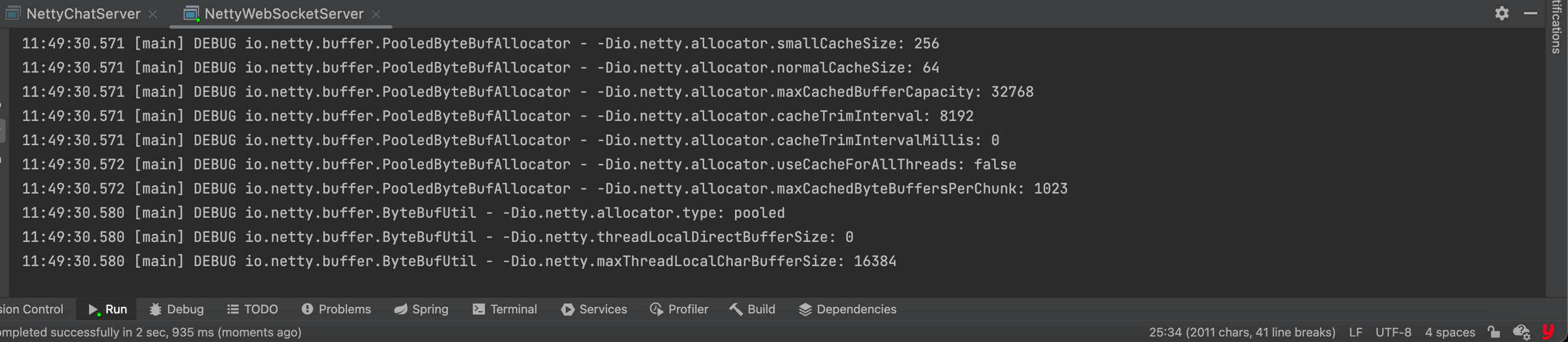
启动html页面:
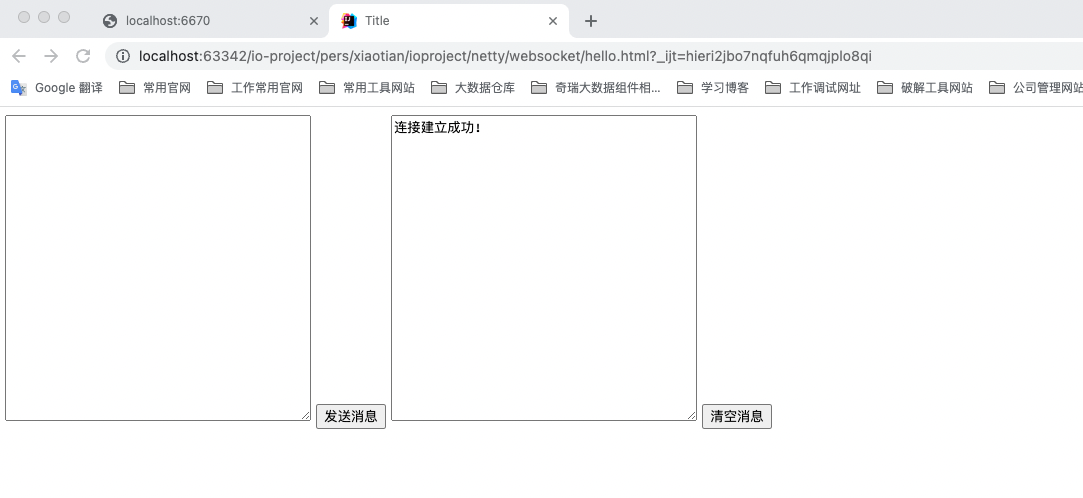
页面输入消息,点击发送,页面接收到消息返回,如图:
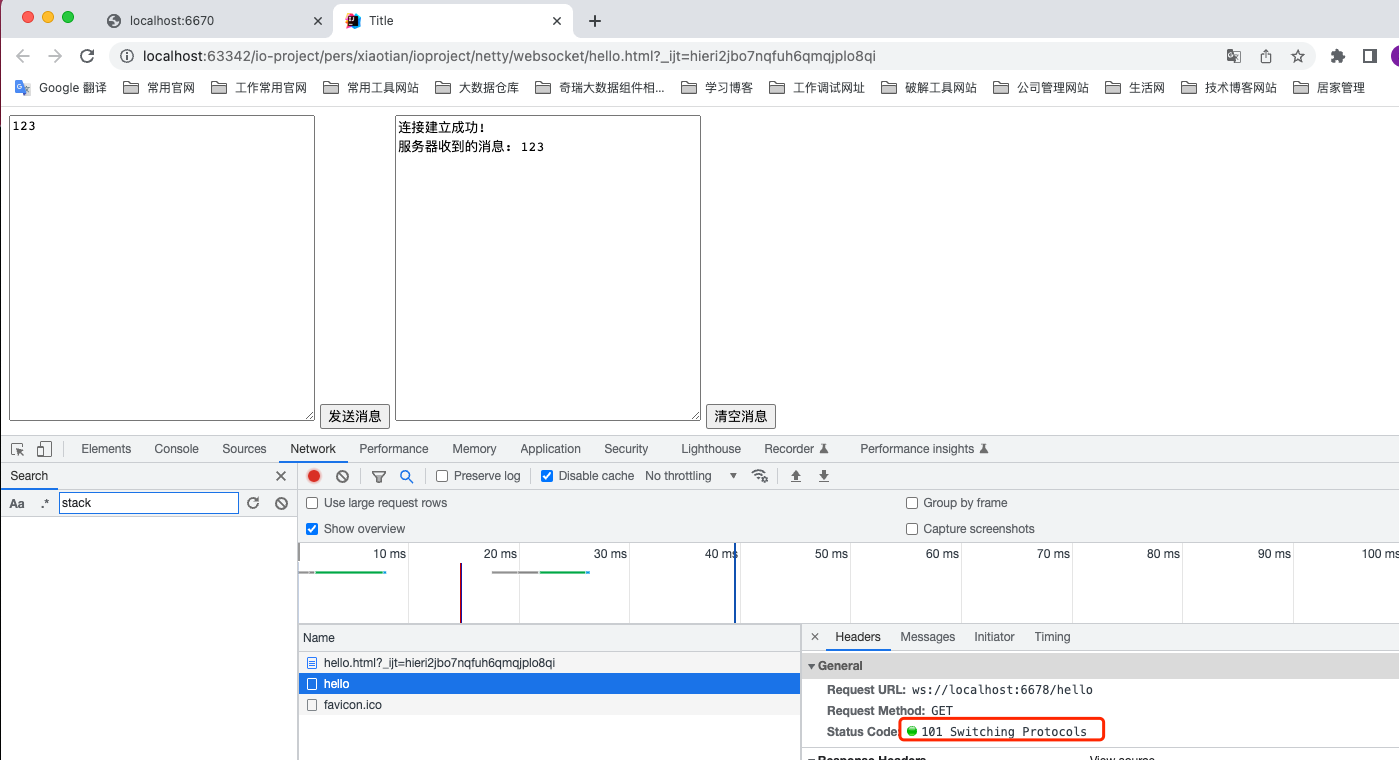
主要是通过建立websocket连接后,连接管道一直可以处于通信状态.
关闭页面,服务端看到断开websocket连接的信息,如图:

NettyServer基于ProtoBuf数据交换示例
原因:
ProtoBuf是跨语言的通信协议、数据存储
它比xml比较,小(310倍),快(20100倍)、更为简单
具体参见说明:
https://www.fdevops.com/2020/12/30/protobuf-19380
https://www.tizi365.com/archives/367.html
https://www.cnblogs.com/xy-ouyang/p/12825132.html
是guava的通信协议工具
项目集成ProtoBuf步骤
引入pom
1
2
3
4
5
| <dependency>
<groupId>com.google.protobuf</groupId>
<artifactId>protobuf-java</artifactId>
<version>3.21.12</version>
</dependency>
|
protobuf工具包安装:
github地址:
https://github.com/protocolbuffers/protobuf/releases
找到osx-aarch_64版本,如图:
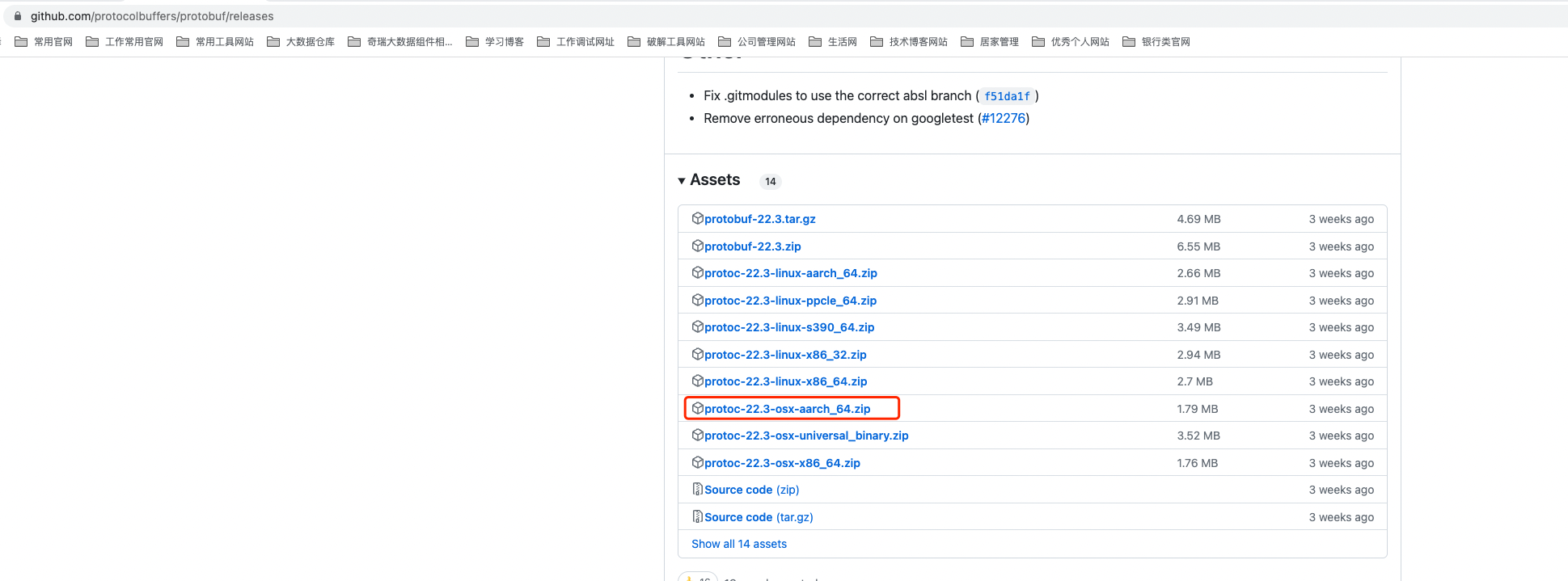
本地下载的目录位置: ~/办公软件安装包/protoc-22.3-osx-aarch_64.zip
运行的安装包目录位置:
~/workapp/protoc-22.3-osx-aarch_64/bin/protoc
可以使用一下指令检测是否可运行
1
| ~/workapp/protoc-22.3-osx-aarch_64/bin/protoc --version
|
如图所示,protoc命令可以正常运行:

如果出现“无法打开 protoc 因为无法验证开发者”的弹窗错误,需要在隐私目录下放开权限即可,如图:
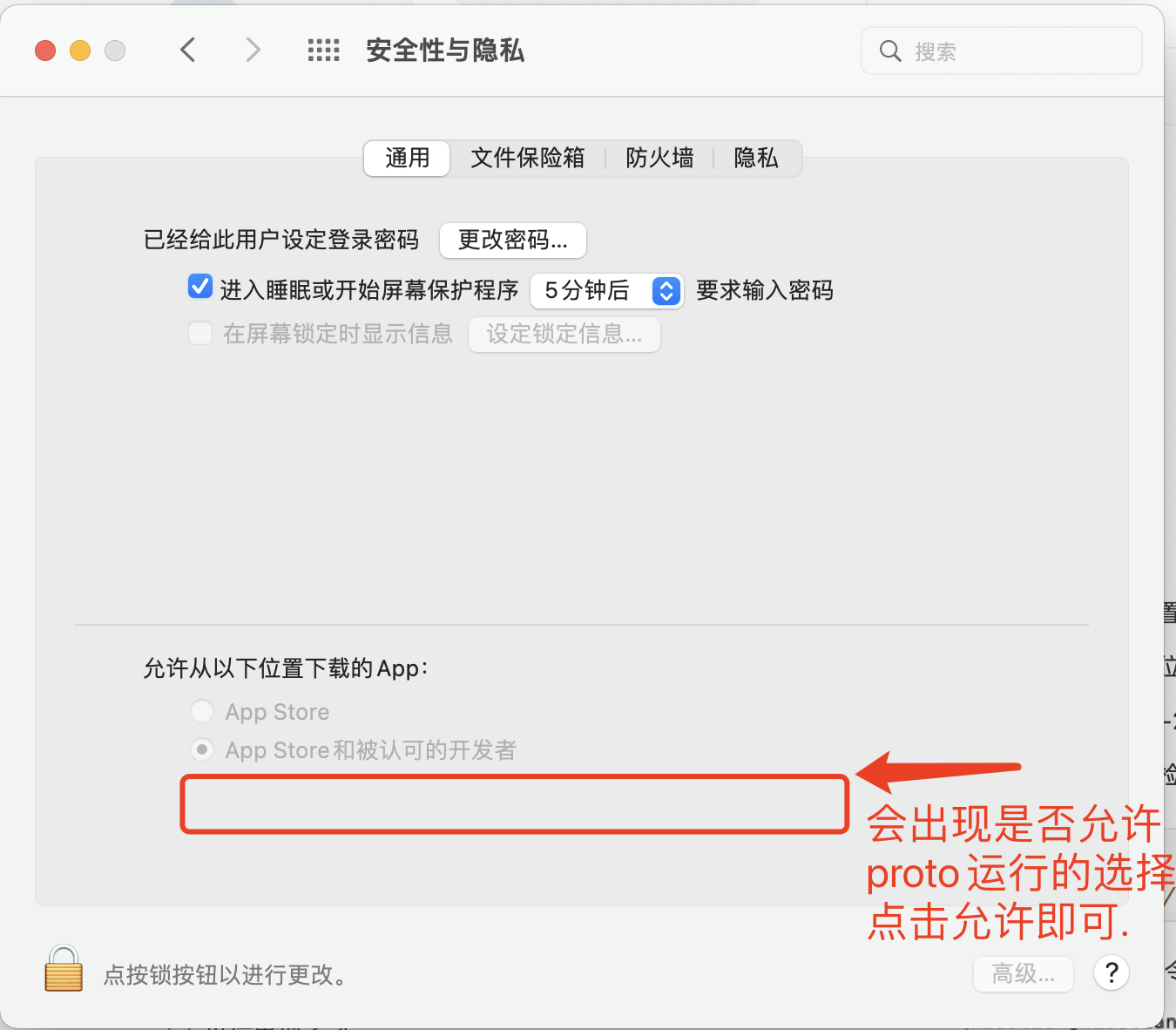
创建pojo对象代码
1
2
3
4
5
6
| syntax = "proto3";
message ResponsePojo{
string name = 1;
int32 age = 2;
}
|
将该文件放到~/workapp/protoc-22.3-osx-aarch_64/bin/protoc的同级目录,执行
1
| ./protoc --java_out=. Response.proto
|
执行完成后,该目录下会生成Response.java文件

将Response文件拷贝到idea对应目录下.
NettyServer代码,添加ProtobufDecoder组件
1
2
3
4
5
6
7
8
9
10
11
12
13
14
15
16
17
18
19
20
21
22
23
24
25
26
27
28
29
30
31
32
33
34
35
36
37
38
39
40
41
| package pers.xiaotian.ioproject.netty.protobuf;
import io.netty.bootstrap.ServerBootstrap;
import io.netty.channel.ChannelFuture;
import io.netty.channel.ChannelInitializer;
import io.netty.channel.ChannelOption;
import io.netty.channel.nio.NioEventLoopGroup;
import io.netty.channel.socket.SocketChannel;
import io.netty.channel.socket.nio.NioServerSocketChannel;
import io.netty.handler.codec.protobuf.ProtobufDecoder;
public class NettyServerSocket {
public static void main(String[] args) throws InterruptedException {
NioEventLoopGroup bossGroup = new NioEventLoopGroup();
NioEventLoopGroup workGroup = new NioEventLoopGroup();
ServerBootstrap serverBootstrap = new ServerBootstrap();
serverBootstrap.group(bossGroup, workGroup)
.channel(NioServerSocketChannel.class)
.childHandler(new ChannelInitializer<SocketChannel>() {
@Override
protected void initChannel(SocketChannel socketChannel) throws Exception {
socketChannel.pipeline()
.addLast(new ProtobufDecoder(Response.ResponsePojo.getDefaultInstance()))
.addLast(new ServerHandler());
}
})
.option(ChannelOption.SO_BACKLOG, 128);
ChannelFuture cf = serverBootstrap.bind(6666).sync();
cf.channel().closeFuture().sync();
}
}
|
ServerHandler代码:
1
2
3
4
5
6
7
8
9
10
11
12
13
14
15
16
17
18
19
20
21
22
23
24
25
| package pers.xiaotian.ioproject.netty.protobuf;
import io.netty.channel.ChannelHandlerContext;
import io.netty.channel.ChannelInboundHandlerAdapter;
import lombok.extern.slf4j.Slf4j;
@Slf4j
public class ServerHandler extends ChannelInboundHandlerAdapter {
@Override
public void channelRead(ChannelHandlerContext ctx, Object msg) throws Exception {
Response.ResponsePojo pojo = (Response.ResponsePojo) msg;
log.info("收到客户端的消息, pojo.name = {}, pojo.age = {}", pojo.getName(), pojo.getAge());
}
@Override
public void exceptionCaught(ChannelHandlerContext ctx, Throwable cause) throws Exception {
log.error("方法异常,原因为 e = {}", cause);
}
}
|
NettyClient代码,添加ProtobufEncoder组件:
1
2
3
4
5
6
7
8
9
10
11
12
13
14
15
16
17
18
19
20
21
22
23
24
25
26
27
28
29
30
31
32
33
| package pers.xiaotian.ioproject.netty.protobuf;
import io.netty.bootstrap.Bootstrap;
import io.netty.channel.ChannelFuture;
import io.netty.channel.ChannelInitializer;
import io.netty.channel.EventLoopGroup;
import io.netty.channel.nio.NioEventLoopGroup;
import io.netty.channel.socket.SocketChannel;
import io.netty.channel.socket.nio.NioSocketChannel;
import io.netty.handler.codec.protobuf.ProtobufEncoder;
public class NettyClientSocket {
public static void main(String[] args) throws InterruptedException {
Bootstrap clientBootstrap = new Bootstrap();
EventLoopGroup workerGroup = new NioEventLoopGroup();
Bootstrap worker = clientBootstrap.group(workerGroup)
.channel(NioSocketChannel.class)
.handler(new ChannelInitializer<SocketChannel>() {
@Override
protected void initChannel(SocketChannel socketChannel) throws Exception {
socketChannel.pipeline()
.addLast(new ProtobufEncoder())
.addLast(new ClientHandler());
}
});
ChannelFuture cf = worker.connect("127.0.0.1", 6666).sync();
cf.channel().closeFuture();
}
}
|
ClientHandler代码
1
2
3
4
5
6
7
8
9
10
11
12
13
14
15
16
17
18
19
20
21
22
23
24
25
| package pers.xiaotian.ioproject.netty.protobuf;
import io.netty.buffer.Unpooled;
import io.netty.channel.ChannelHandlerContext;
import io.netty.channel.ChannelInboundHandlerAdapter;
import lombok.extern.slf4j.Slf4j;
@Slf4j
public class ClientHandler extends ChannelInboundHandlerAdapter {
@Override
public void channelActive(ChannelHandlerContext ctx) throws Exception {
Response.ResponsePojo pojo = Response.ResponsePojo.newBuilder().setAge(20).setName("张三").build();
ctx.channel().writeAndFlush(Unpooled.copiedBuffer(pojo.toByteArray()));
}
@Override
public void exceptionCaught(ChannelHandlerContext ctx, Throwable cause) throws Exception {
log.error("方法异常,原因为 e = {}", cause);
}
}
|
执行结果如下:
启动server服务

启动client服务:
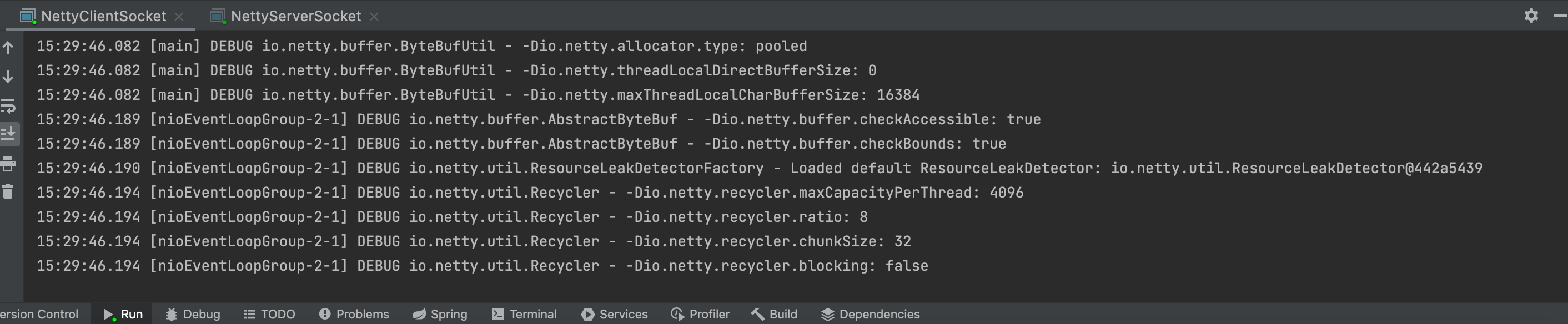
然后查看服务端控台,发现Response对象服务端正常接收了

NettyChannel的输入输出pipeline理解
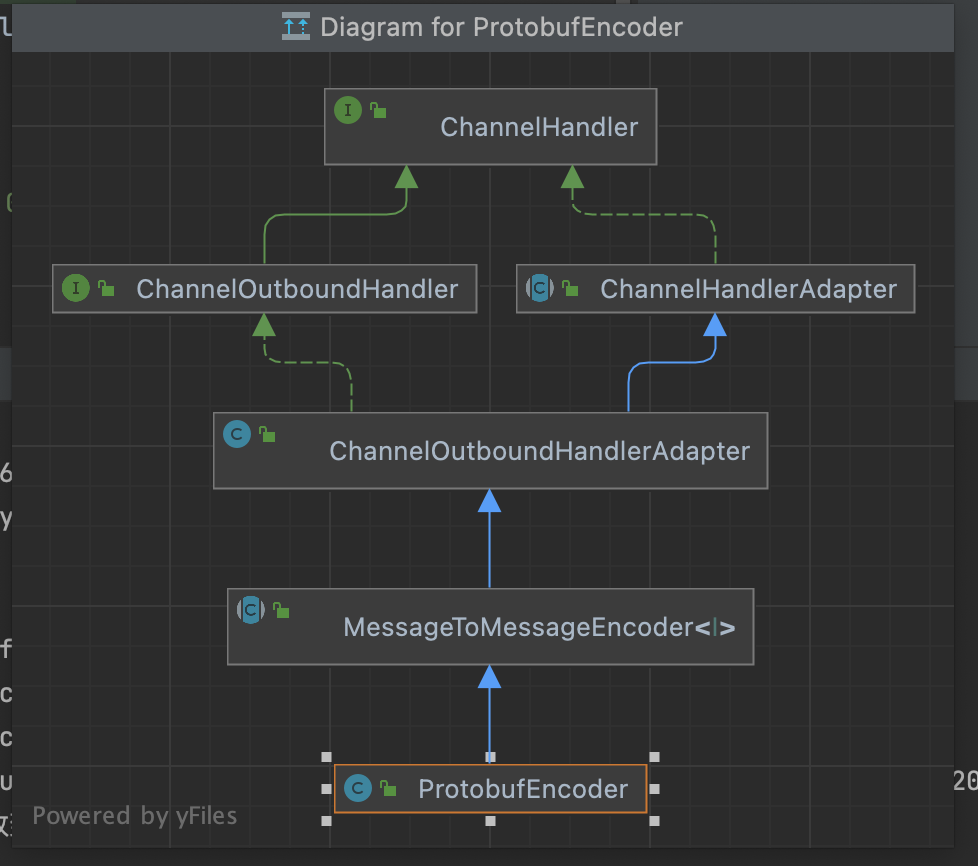
网络传输都是以二进制流的形式进行传输的,所以pipeline对应输出需要编码器,输入需要解码器.
以上面的ProtoBufEncoder和ProtoBufDecoder为例,如图:

Netty网络传输的沾包和拆包的问题
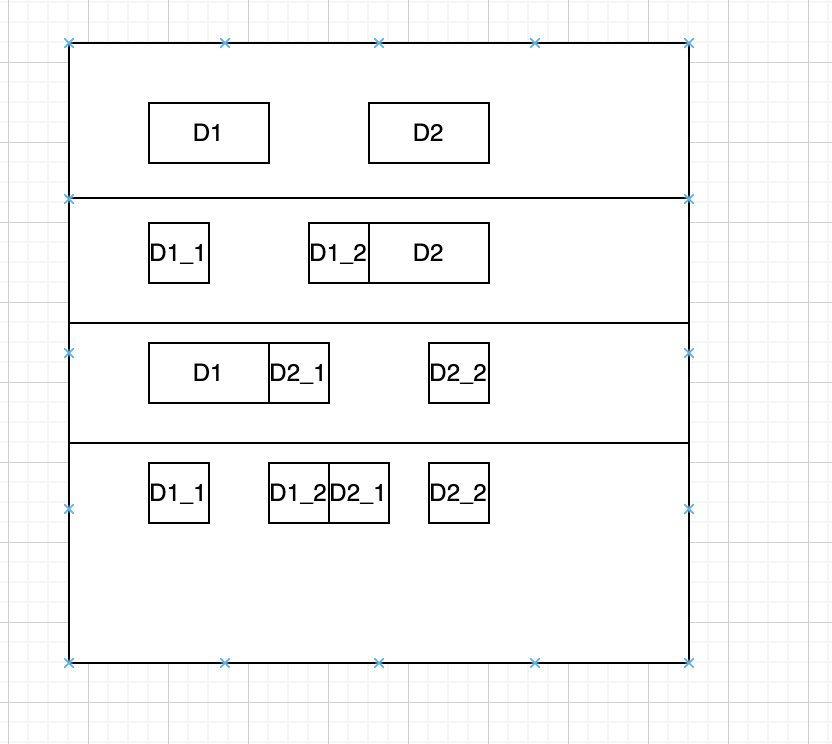
客户端发送时,可能会将多个包一起传输发送,服务端接收时,不知道客户端传输对应的数据包的问题,如图所示:
NettyServer代码示例:
1
2
3
4
5
6
7
8
9
10
11
12
13
14
15
16
17
18
19
20
21
22
23
24
25
26
27
28
29
30
31
32
| package pers.xiaotian.ioproject.netty.tcppackage;
import io.netty.bootstrap.Bootstrap;
import io.netty.channel.ChannelFuture;
import io.netty.channel.ChannelInitializer;
import io.netty.channel.EventLoopGroup;
import io.netty.channel.nio.NioEventLoopGroup;
import io.netty.channel.socket.SocketChannel;
import io.netty.channel.socket.nio.NioSocketChannel;
public class NettyClientSocket {
public static void main(String[] args) throws InterruptedException {
Bootstrap clientBootstrap = new Bootstrap();
EventLoopGroup workerGroup = new NioEventLoopGroup();
Bootstrap worker = clientBootstrap.group(workerGroup)
.channel(NioSocketChannel.class)
.handler(new ChannelInitializer<SocketChannel>() {
@Override
protected void initChannel(SocketChannel socketChannel) throws Exception {
socketChannel.pipeline()
.addLast(new ClientHandler());
}
});
ChannelFuture cf = worker.connect("127.0.0.1", 6666).sync();
cf.channel().closeFuture();
}
}
|
ServerHandler示例:
1
2
3
4
5
6
7
8
9
10
11
12
13
14
15
16
17
18
19
20
21
22
23
24
25
26
27
28
29
30
31
| package pers.xiaotian.ioproject.netty.tcppackage;
import io.netty.buffer.ByteBuf;
import io.netty.channel.ChannelHandlerContext;
import io.netty.channel.ChannelInboundHandlerAdapter;
import io.netty.util.CharsetUtil;
import lombok.extern.slf4j.Slf4j;
@Slf4j
public class ServerHandler extends ChannelInboundHandlerAdapter {
private int count;
@Override
public void channelRead(ChannelHandlerContext ctx, Object msg) throws Exception {
ByteBuf byteBuf = (ByteBuf) msg;
int length = byteBuf.readableBytes();
byte[] bytes = new byte[length];
byteBuf.readBytes(bytes);
log.info("收到客户端的消息, response = {}, count = {}", new String(bytes,CharsetUtil.UTF_8), ++count);
}
@Override
public void exceptionCaught(ChannelHandlerContext ctx, Throwable cause) throws Exception {
log.error("方法异常,原因为 e = {}", cause);
}
}
|
NettyClient代码:
1
2
3
4
5
6
7
8
9
10
11
12
13
14
15
16
17
18
19
20
21
22
23
24
25
26
27
28
29
30
31
32
| package pers.xiaotian.ioproject.netty.tcppackage;
import io.netty.bootstrap.Bootstrap;
import io.netty.channel.ChannelFuture;
import io.netty.channel.ChannelInitializer;
import io.netty.channel.EventLoopGroup;
import io.netty.channel.nio.NioEventLoopGroup;
import io.netty.channel.socket.SocketChannel;
import io.netty.channel.socket.nio.NioSocketChannel;
public class NettyClientSocket {
public static void main(String[] args) throws InterruptedException {
Bootstrap clientBootstrap = new Bootstrap();
EventLoopGroup workerGroup = new NioEventLoopGroup();
Bootstrap worker = clientBootstrap.group(workerGroup)
.channel(NioSocketChannel.class)
.handler(new ChannelInitializer<SocketChannel>() {
@Override
protected void initChannel(SocketChannel socketChannel) throws Exception {
socketChannel.pipeline()
.addLast(new ClientHandler());
}
});
ChannelFuture cf = worker.connect("127.0.0.1", 6666).sync();
cf.channel().closeFuture();
}
}
|
ClientHandler代码:
1
2
3
4
5
6
7
8
9
10
11
12
13
14
15
16
17
18
19
20
21
22
23
24
25
26
27
28
29
| package pers.xiaotian.ioproject.netty.tcppackage;
import io.netty.buffer.ByteBuf;
import io.netty.buffer.Unpooled;
import io.netty.channel.ChannelHandlerContext;
import io.netty.channel.ChannelInboundHandlerAdapter;
import io.netty.util.CharsetUtil;
import lombok.extern.slf4j.Slf4j;
@Slf4j
public class ClientHandler extends ChannelInboundHandlerAdapter {
@Override
public void channelActive(ChannelHandlerContext ctx) throws Exception {
for(int i=0; i<10; i++){
ByteBuf byteBuf = Unpooled.copiedBuffer("客户端发送消息" + i, CharsetUtil.UTF_8);
ctx.writeAndFlush(byteBuf);
}
}
@Override
public void exceptionCaught(ChannelHandlerContext ctx, Throwable cause) throws Exception {
log.error("方法异常,原因为 e = {}", cause);
}
}
|
运行结果如下
先启动server端,如图:
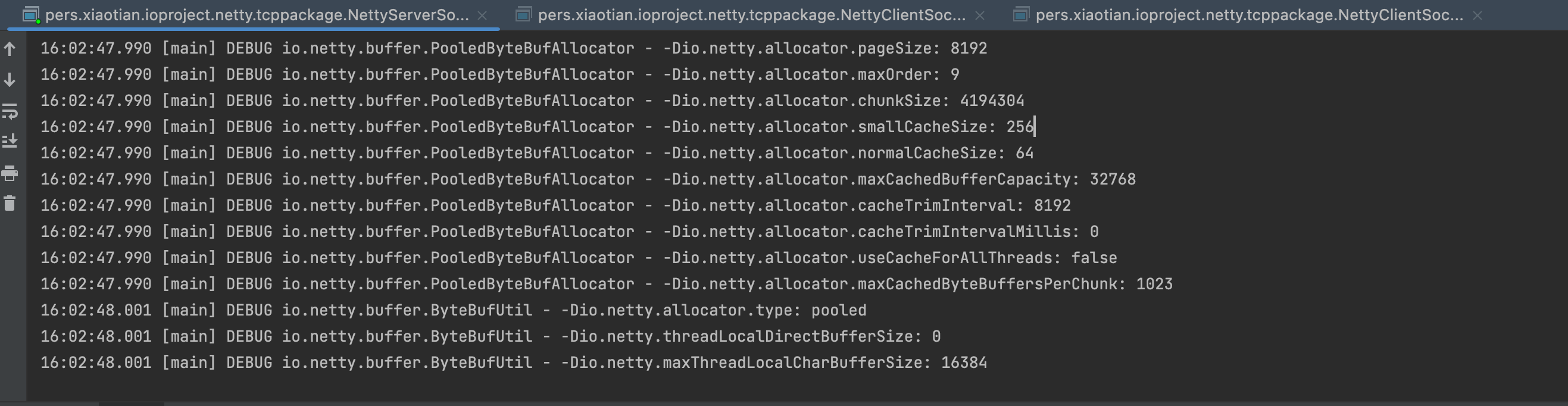
启动多个client端,观察server端接收情况,如图:
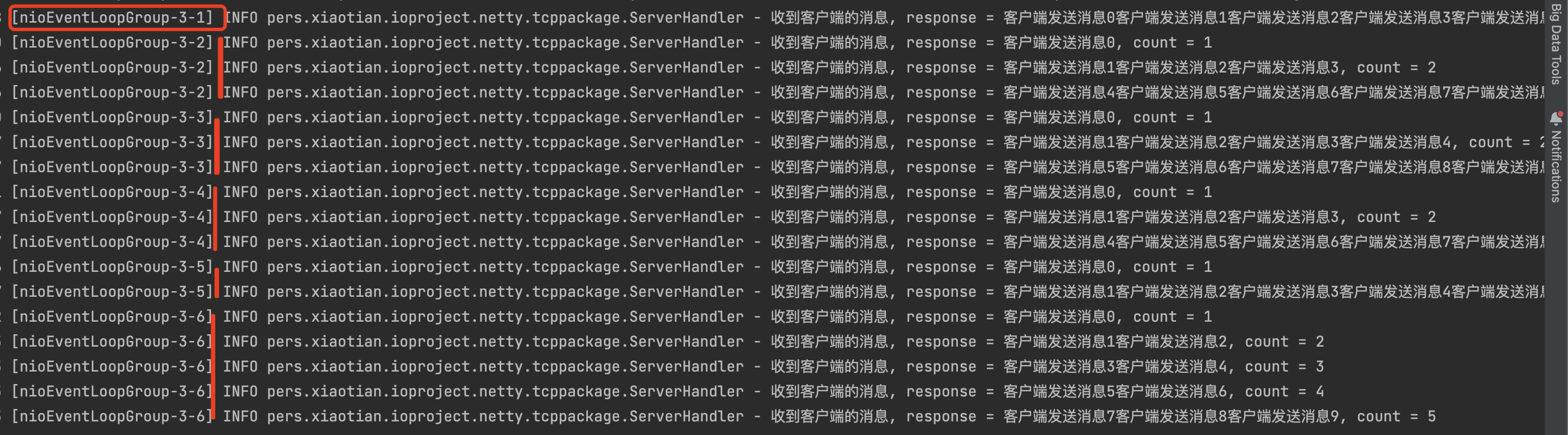
可以看到服务端收到的包的数量是不一样的,有1,2,3,5次包
解决方案:
可以通过自定义传输协议和编解码handler解决
代码示例如下:
自定义传输协议对象
1
2
3
4
5
6
7
8
9
10
| package pers.xiaotian.io;
import lombok.Data;
@Data
public class MyProtocol {
private int len;
private byte[] content;
}
|
自定义编码器继承netty的MessageToByteEncoder组件
1
2
3
4
5
6
7
8
9
10
11
12
13
| package pers.xiaotian.io;
import io.netty.buffer.ByteBuf;
import io.netty.channel.ChannelHandlerContext;
import io.netty.handler.codec.MessageToByteEncoder;
public class MyProtocolEncoder extends MessageToByteEncoder<MyProtocol> {
protected void encode(ChannelHandlerContext channelHandlerContext, MyProtocol myProtocol, ByteBuf byteBuf) throws Exception {
byteBuf.writeInt(myProtocol.getLen());
byteBuf.writeBytes(myProtocol.getContent());
}
}
|
自定义解码器继承netty的ByteToMessageDecoder组件
1
2
3
4
5
6
7
8
9
10
11
12
13
14
15
16
17
18
19
20
21
22
| package pers.xiaotian.io;
import io.netty.buffer.ByteBuf;
import io.netty.channel.ChannelHandlerContext;
import io.netty.handler.codec.ByteToMessageDecoder;
import java.util.List;
public class MyProtocolDecoder extends ByteToMessageDecoder {
protected void decode(ChannelHandlerContext channelHandlerContext, ByteBuf byteBuf, List<Object> list) throws Exception {
int len = byteBuf.readInt();
byte[] bytes = new byte[len];
byteBuf.readBytes(bytes);
MyProtocol myProtocol = new MyProtocol();
myProtocol.setLen(len);
myProtocol.setContent(bytes);
list.add(myProtocol);
}
}
|
定义客户端处理器给服务端发送消息
1
2
3
4
5
6
7
8
9
10
11
12
13
14
15
16
17
18
19
20
| package pers.xiaotian.io;
import io.netty.channel.ChannelHandlerContext;
import io.netty.channel.ChannelInboundHandlerAdapter;
import io.netty.util.CharsetUtil;
public class ClientHandler extends ChannelInboundHandlerAdapter {
@Override
public void channelActive(ChannelHandlerContext ctx) throws Exception {
for(int i=0; i<10; i++){
byte[] content = ("你好,我是客户端"+i).getBytes(CharsetUtil.UTF_8);
MyProtocol myProtocol = new MyProtocol();
myProtocol.setContent(content);
myProtocol.setLen(content.length);
ctx.writeAndFlush(myProtocol);
}
}
}
|
定义服务端处理器用于接收消息
1
2
3
4
5
6
7
8
9
10
11
12
13
14
15
16
17
18
19
20
| package pers.xiaotian.io;
import io.netty.channel.ChannelHandlerContext;
import io.netty.channel.ChannelInboundHandlerAdapter;
import io.netty.util.CharsetUtil;
import lombok.extern.slf4j.Slf4j;
@Slf4j
public class ServerHandler extends ChannelInboundHandlerAdapter {
private int count;
@Override
public void channelRead(ChannelHandlerContext ctx, Object msg) throws Exception {
MyProtocol myProtocol = (MyProtocol) msg;
String content = new String(myProtocol.getContent(), CharsetUtil.UTF_8);
log.info("服务端收到消息,content = {}, count = {}", content, ++count);
}
}
|
NettyClient代码,加入自定义编码器和处理器到pipeline组件
1
2
3
4
5
6
7
8
9
10
11
12
13
14
15
16
17
18
19
20
21
22
23
24
25
26
27
28
29
30
31
32
33
34
| package pers.xiaotian.io;
import io.netty.bootstrap.Bootstrap;
import io.netty.channel.ChannelFuture;
import io.netty.channel.ChannelInitializer;
import io.netty.channel.EventLoopGroup;
import io.netty.channel.nio.NioEventLoopGroup;
import io.netty.channel.socket.nio.NioSocketChannel;
public class NettyClient {
public static void main(String[] args) throws InterruptedException {
EventLoopGroup group = new NioEventLoopGroup();
try{
Bootstrap bootstrap = new Bootstrap();
bootstrap.group(group)
.channel(NioSocketChannel.class)
.handler(new ChannelInitializer<NioSocketChannel>() {
protected void initChannel(NioSocketChannel nioSocketChannel) throws Exception {
nioSocketChannel.pipeline()
.addLast(new MyProtocolEncoder())
.addLast(new ClientHandler());
}
});
ChannelFuture channelFuture = bootstrap.connect("127.0.0.1", 7777).sync();
channelFuture.channel().closeFuture().sync();
}finally {
group.shutdownGracefully();
}
}
}
|
NettyServer端代码,自定义解码器和处理器到pipeline
1
2
3
4
5
6
7
8
9
10
11
12
13
14
15
16
17
18
19
20
21
22
23
24
25
26
27
28
29
30
31
32
33
| package pers.xiaotian.io;
import io.netty.bootstrap.ServerBootstrap;
import io.netty.channel.*;
import io.netty.channel.nio.NioEventLoopGroup;
import io.netty.channel.socket.nio.NioServerSocketChannel;
import io.netty.channel.socket.nio.NioSocketChannel;
public class NettyServer {
public static void main(String[] args) throws InterruptedException {
EventLoopGroup boss = new NioEventLoopGroup(1);
EventLoopGroup worker = new NioEventLoopGroup();
try{
ServerBootstrap serverBootstrap = new ServerBootstrap();
serverBootstrap.group(boss, worker)
.channel(NioServerSocketChannel.class)
.childHandler(new ChannelInitializer<NioSocketChannel>() {
protected void initChannel(NioSocketChannel nioSocketChannel) throws Exception {
nioSocketChannel.pipeline()
.addLast(new MyProtocolDecoder())
.addLast(new ServerHandler());
}
});
ChannelFuture channelFuture = serverBootstrap.bind(7777).sync();
channelFuture.channel().closeFuture().sync();
}finally {
boss.shutdownGracefully();
worker.shutdownGracefully();
}
}
}
|
运行代码:
启动服务端代码:
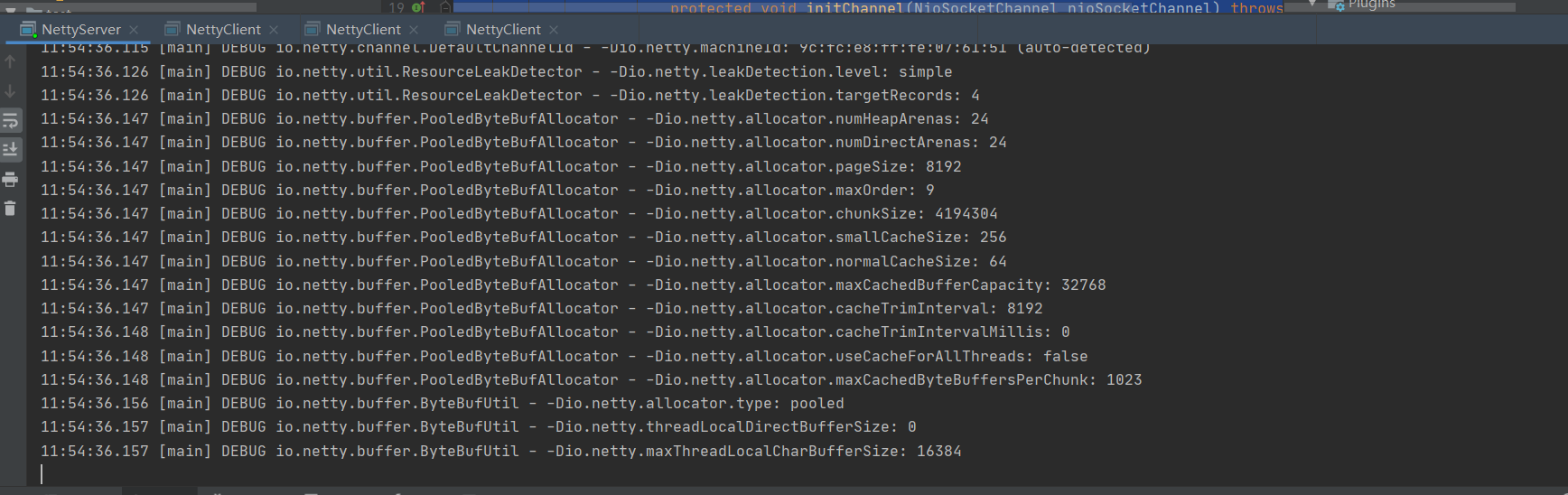
启动多个客户端,观察服务端接收结果,如图:
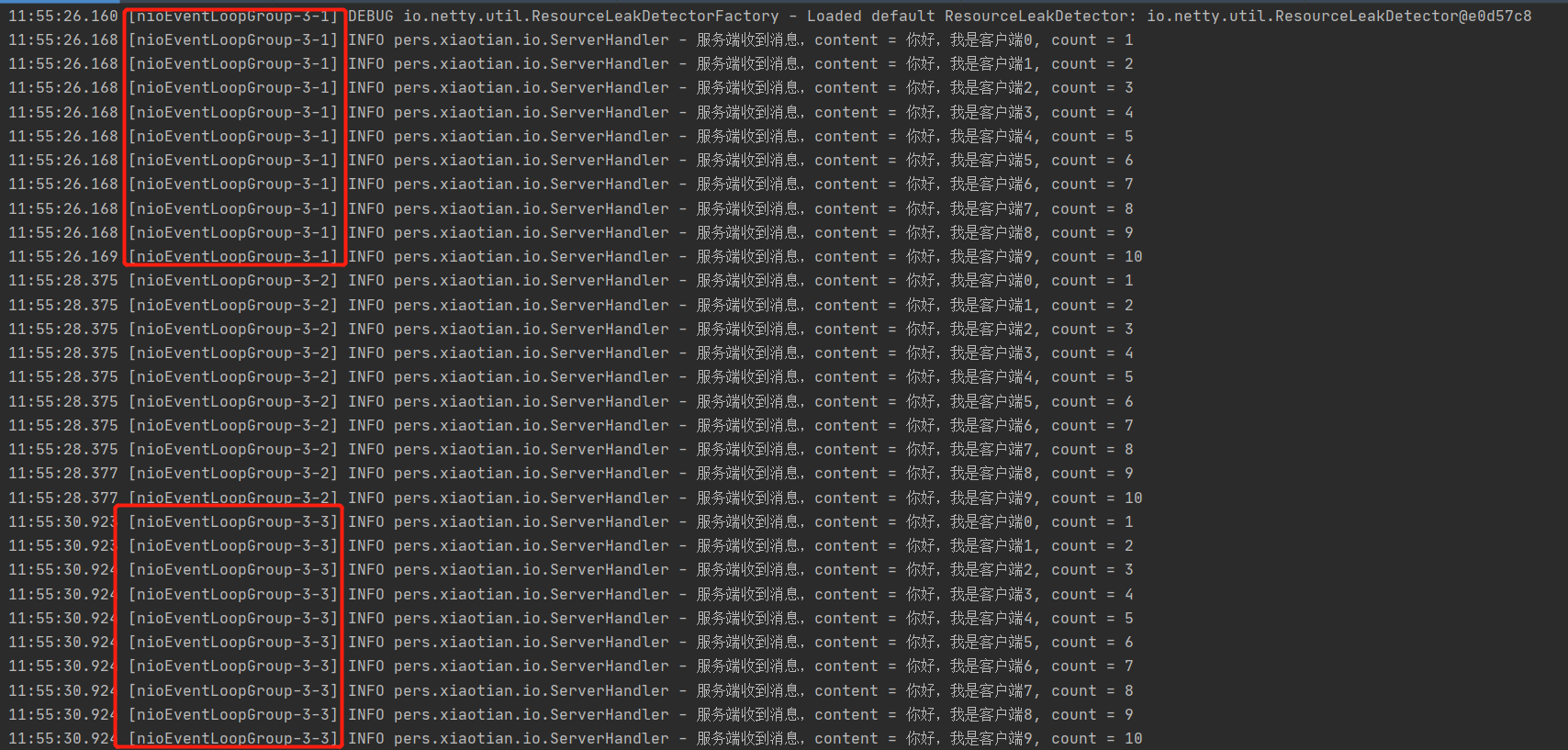
通过自定义协议+编解码处理器,就可以解决服务端拆包的问题了!
NettyRpc相关代码实现
1.定义rpc调用接口
1
2
3
4
5
6
7
| package pers.xiaotian.ioproject.netty.rpc.rpcinterface;
public interface HelloService {
String sayHello(String param);
}
|
2.服务提供者对应代码
1
2
3
4
5
6
7
8
9
10
11
12
| package pers.xiaotian.ioproject.netty.rpc.provider;
import pers.xiaotian.ioproject.netty.rpc.rpcinterface.HelloService;
public class HelloServiceImpl implements HelloService {
@Override
public String sayHello(String param) {
return "你好!"+param;
}
}
|
1
2
3
4
5
6
7
8
9
10
11
12
13
| package pers.xiaotian.ioproject.netty.rpc.provider;
import lombok.extern.slf4j.Slf4j;
import pers.xiaotian.ioproject.netty.rpc.netty.ServerNetty;
@Slf4j
public class ServerBootstrap {
public static void main(String[] args) {
ServerNetty.start("127.0.0.1", 7779);
}
}
|
3.服务消费者代码
1
2
3
4
5
6
7
8
9
10
11
12
13
14
15
16
17
18
19
20
21
| package pers.xiaotian.ioproject.netty.rpc.consumer;
import lombok.extern.slf4j.Slf4j;
import pers.xiaotian.ioproject.netty.rpc.netty.ClientNetty;
import pers.xiaotian.ioproject.netty.rpc.rpcinterface.HelloService;
@Slf4j
public class ClientBootstrap {
static String provideName = "HelloService#sayHello#";
public static void main(String[] args) {
ClientNetty clientNetty = new ClientNetty();
HelloService bean = (HelloService) clientNetty.getBean(HelloService.class, provideName);
String response = bean.sayHello("你好!我是客户端");
log.info("客户端收到的响应,response = {}", response);
}
}
|
4.对应netty通信服务代码
nettyServer代码
1
2
3
4
5
6
7
8
9
10
11
12
13
14
15
16
17
18
19
20
21
22
23
24
25
26
27
28
29
30
31
32
33
34
35
36
37
38
39
40
41
42
43
44
45
46
47
48
| package pers.xiaotian.ioproject.netty.rpc.netty;
import io.netty.bootstrap.ServerBootstrap;
import io.netty.channel.ChannelFuture;
import io.netty.channel.ChannelInitializer;
import io.netty.channel.EventLoopGroup;
import io.netty.channel.nio.NioEventLoopGroup;
import io.netty.channel.socket.SocketChannel;
import io.netty.channel.socket.nio.NioServerSocketChannel;
import io.netty.handler.codec.string.StringDecoder;
import io.netty.handler.codec.string.StringEncoder;
import lombok.extern.slf4j.Slf4j;
@Slf4j
public class ServerNetty {
public static void start(String host, int port){
serverStart0(host, port);
}
private static void serverStart0(String host, int port){
EventLoopGroup bossGroup = new NioEventLoopGroup(1);
EventLoopGroup workGroup = new NioEventLoopGroup();
try{
ServerBootstrap serverBootstrap = new ServerBootstrap();
serverBootstrap.group(bossGroup, workGroup)
.channel(NioServerSocketChannel.class)
.childHandler(new ChannelInitializer<SocketChannel>() {
@Override
protected void initChannel(SocketChannel socketChannel) throws Exception {
socketChannel.pipeline()
.addLast(new StringDecoder())
.addLast(new StringEncoder())
.addLast(new ServerHandler());
}
});
ChannelFuture channelFuture = serverBootstrap.bind(host, port).sync();
log.info("provider start ...");
channelFuture.channel().closeFuture().sync();
}catch (Exception e){
log.error("serverStart0 error, e = {}", e);
}finally {
bossGroup.shutdownGracefully();
workGroup.shutdownGracefully();
}
}
}
|
serverHandler代码
1
2
3
4
5
6
7
8
9
10
11
12
13
14
15
16
17
18
19
20
21
22
23
24
25
26
27
28
29
| package pers.xiaotian.ioproject.netty.rpc.netty;
import io.netty.channel.ChannelHandlerContext;
import io.netty.channel.ChannelInboundHandlerAdapter;
import lombok.extern.slf4j.Slf4j;
import pers.xiaotian.ioproject.netty.rpc.provider.HelloServiceImpl;
@Slf4j
public class ServerHandler extends ChannelInboundHandlerAdapter {
@Override
public void channelRead(ChannelHandlerContext ctx, Object msg) throws Exception {
String result = (String) msg;
log.info("服务端收到消息, msg = {}", result);
if(result.startsWith("HelloService#sayHello")){
String param = result.substring(result.lastIndexOf("#")+1);
HelloServiceImpl helloService = new HelloServiceImpl();
String response = helloService.sayHello(param);
ctx.writeAndFlush(response);
}
}
@Override
public void exceptionCaught(ChannelHandlerContext ctx, Throwable cause) throws Exception {
log.error("exceptionCaught! cause = {}", cause);
ctx.close();
}
}
|
nettyClient代码:
1
2
3
4
5
6
7
8
9
10
11
12
13
14
15
16
17
18
19
20
21
22
23
24
25
26
27
28
29
30
31
32
33
34
35
36
37
38
39
40
41
42
43
44
45
46
47
48
49
50
51
52
53
54
55
56
57
58
59
60
61
62
63
64
65
66
| package pers.xiaotian.ioproject.netty.rpc.netty;
import io.netty.bootstrap.Bootstrap;
import io.netty.channel.ChannelInitializer;
import io.netty.channel.EventLoopGroup;
import io.netty.channel.nio.NioEventLoopGroup;
import io.netty.channel.socket.SocketChannel;
import io.netty.channel.socket.nio.NioSocketChannel;
import io.netty.handler.codec.string.StringDecoder;
import io.netty.handler.codec.string.StringEncoder;
import lombok.extern.slf4j.Slf4j;
import java.lang.reflect.Proxy;
import java.util.concurrent.ExecutorService;
import java.util.concurrent.Executors;
@Slf4j
public class ClientNetty {
private static ExecutorService executorService = Executors.newCachedThreadPool();
private static ClientHandler clientHandler;
public Object getBean(final Class<?> serviceClass, final String provideName){
return Proxy.newProxyInstance(Thread.currentThread().getContextClassLoader(), new Class<?>[]{ serviceClass},
(proxy, method, args) -> {
try {
log.info("代理方法被调用了, method = {}", method);
if (clientHandler == null) {
connect("127.0.0.1", 7779);
}
clientHandler.setParam(provideName + "#" + args[0]);
return executorService.submit(clientHandler).get();
}catch (Exception e){
log.error("代理方法出错了, method = {}", method);
return null;
}
});
}
public static void connect(String host, int port){
clientHandler = new ClientHandler();
EventLoopGroup clientGroup = new NioEventLoopGroup();
try{
Bootstrap bootstrap = new Bootstrap();
bootstrap.group(clientGroup)
.channel(NioSocketChannel.class)
.handler(new ChannelInitializer<SocketChannel>() {
@Override
protected void initChannel(SocketChannel socketChannel) throws Exception {
socketChannel.pipeline()
.addLast(new StringDecoder())
.addLast(new StringEncoder())
.addLast(clientHandler);
}
});
bootstrap.connect(host, port).sync();
}catch (Exception e){
log.error("connect error, e = {}", e);
}
}
}
|
ClientHandler代码
1
2
3
4
5
6
7
8
9
10
11
12
13
14
15
16
17
18
19
20
21
22
23
24
25
26
27
28
29
30
31
32
33
34
35
36
37
38
39
40
41
42
43
44
45
46
47
48
| package pers.xiaotian.ioproject.netty.rpc.netty;
import io.netty.channel.ChannelHandlerContext;
import io.netty.channel.ChannelInboundHandlerAdapter;
import lombok.extern.slf4j.Slf4j;
import java.util.concurrent.Callable;
@Slf4j
public class ClientHandler extends ChannelInboundHandlerAdapter implements Callable {
private ChannelHandlerContext context;
private String param;
private String response;
@Override
public void channelActive(ChannelHandlerContext ctx) throws Exception {
log.info("客户端建立连接成功。。。");
context = ctx;
}
@Override
public synchronized void channelRead(ChannelHandlerContext ctx, Object msg) throws Exception {
response = (String) msg;
log.info("客户端收到服务端的响应,response = {}", response);
notify();
}
@Override
public void exceptionCaught(ChannelHandlerContext ctx, Throwable cause) throws Exception {
log.error("exceptionCaught cause = {}", cause);
ctx.close();
}
@Override
public synchronized Object call() throws Exception {
log.info("call被调用了。。。");
context.writeAndFlush(param);
wait();
return response;
}
public void setParam(String param) {
this.param = param;
}
}
|
执行结果如图:
先启动服务端代码:
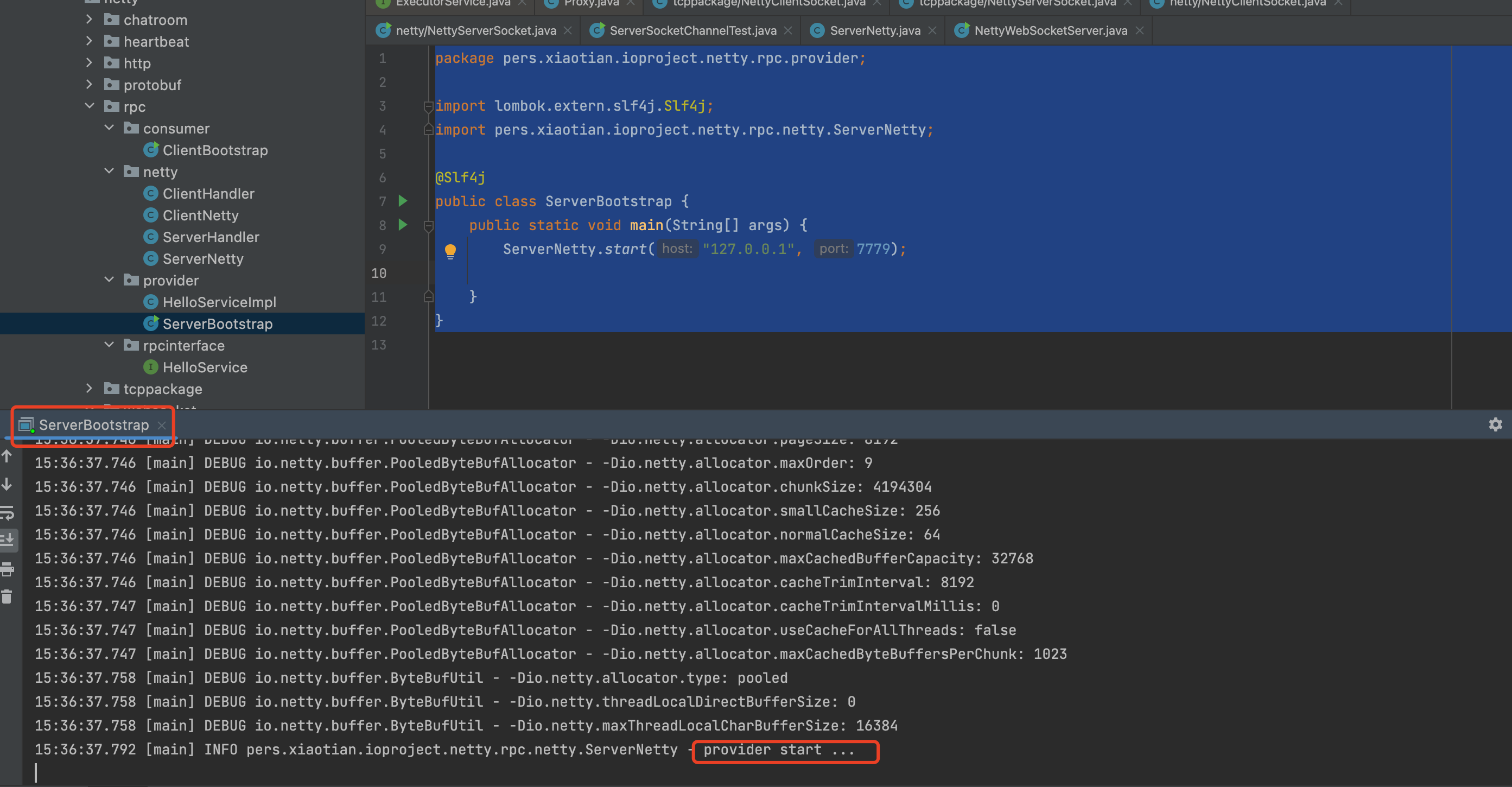
在启动客户端代码:

并能正常收到服务端返回的响应信息!
注意:
1.遇到的问题,客户端的EventLoopGroup被shutdown了,channelFuture启动后又被close关闭了,导致服务端一直收不到响应信息
2.idea执行debug方法,会默认先执行代理对象的toString方法引起多余的代理调用,下图为去除debug方法的配置:
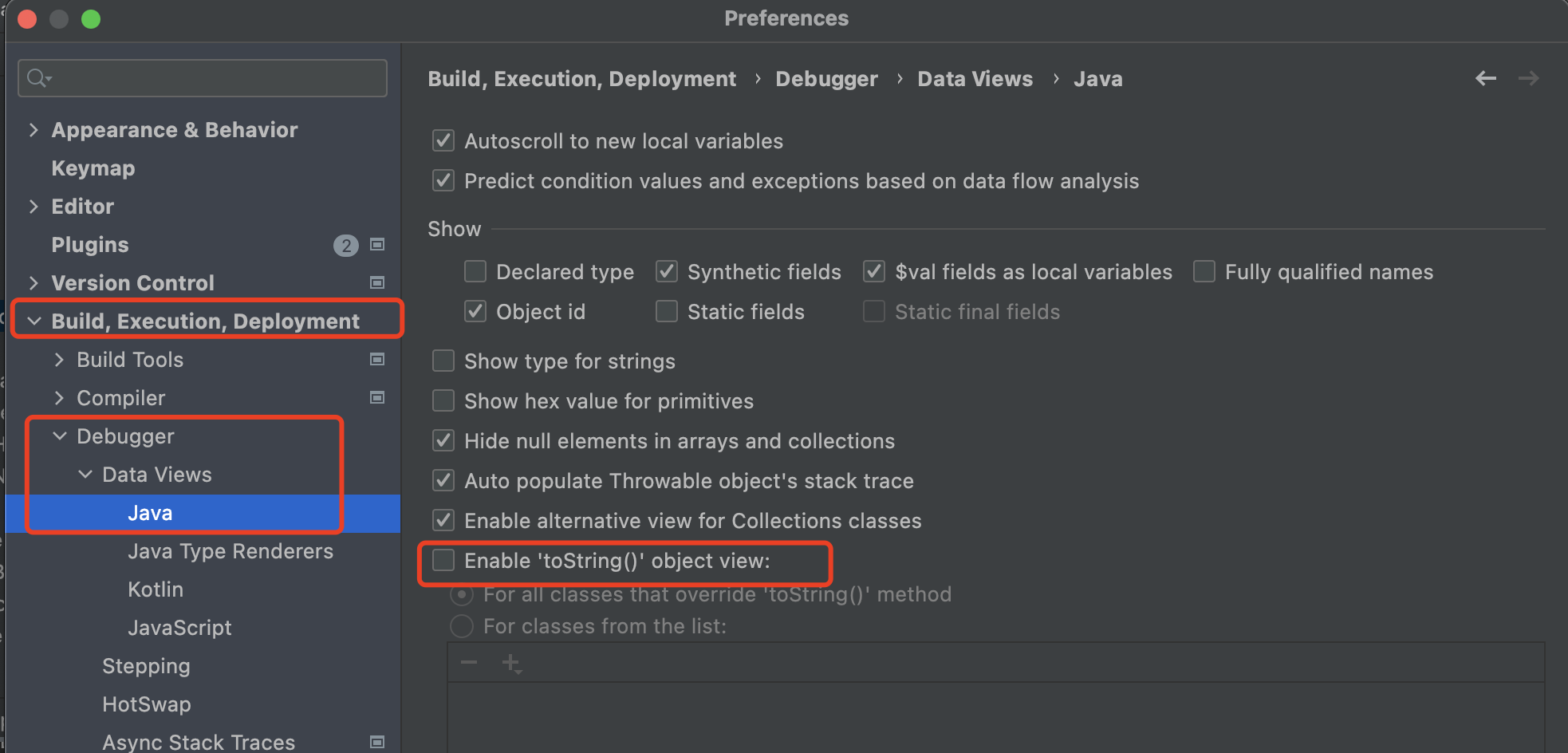
把这个toString方法去除就行.
帮助文档:
https://netty.io/ –官网
https://waylau.com/netty-4-user-guide/ –中文翻译博客
https://juejin.cn/post/6844904197129764871 –netty整合springboot
https://blog.csdn.net/weixin_41307800/article/details/124729710 –netty整合springboot
https://unclecatmyself.github.io/2020/02/07/netty01rumen/ –netty bootstrap示例参考博客
